What’s New in BitBrowser: November 2026 Product Updates
 2026.11.11 10:13
 YT.Shi
Recent BitBrowser updates bring batch IP lookup settings, clearer IP usage indicators, and easier cloud device management. This November roundup covers the latest improvements, along with recent Cloud Phone features and CloudPC Connector resources you may have missed.
Browser Profile and Proxy IP Management
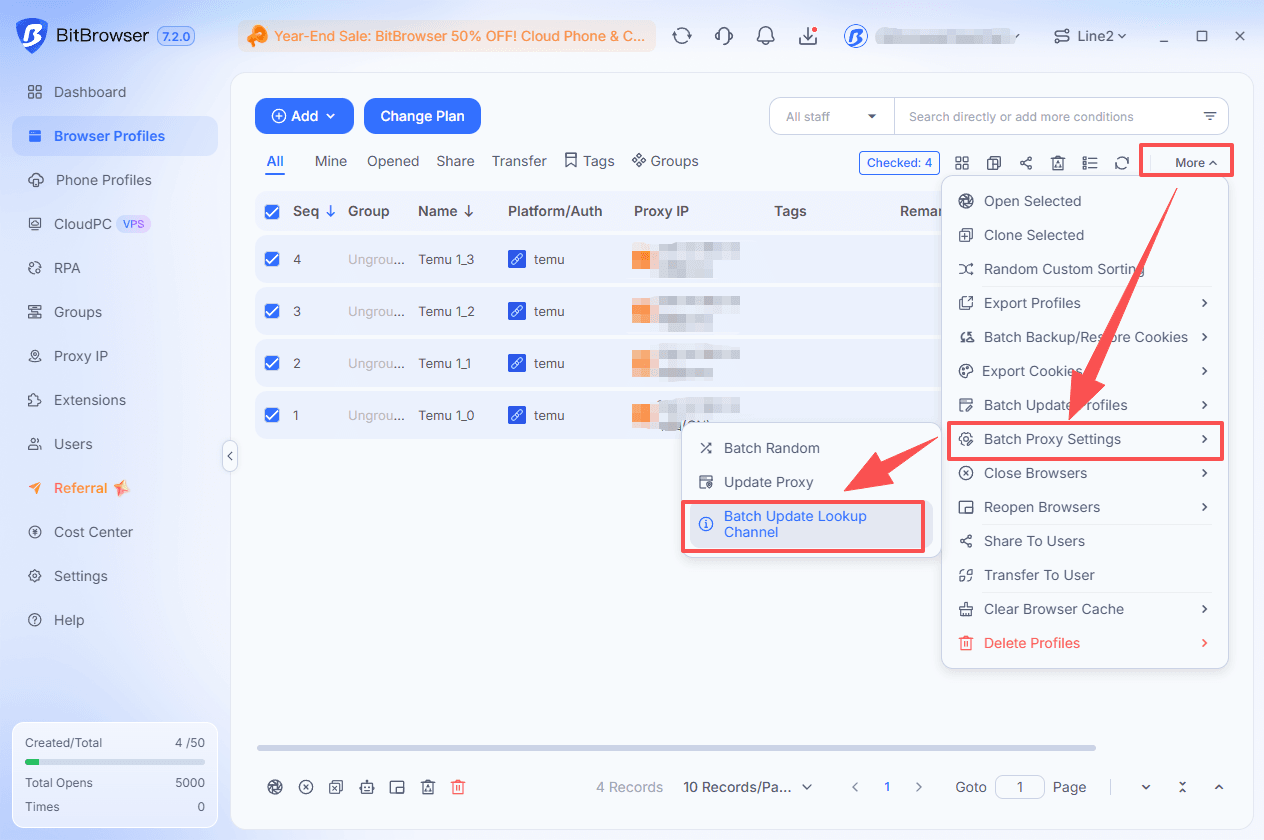
1. Bulk-Edit IP Lookup Providers
You can now change the IP lookup provider for multiple browser profiles or cloud phones in one operation. Select the entries you want to update and apply your preferred provider in bulk, without editing each one separately.
This setting changes the service used to look up IP information. It does not change the proxy IP assigned to your environment.
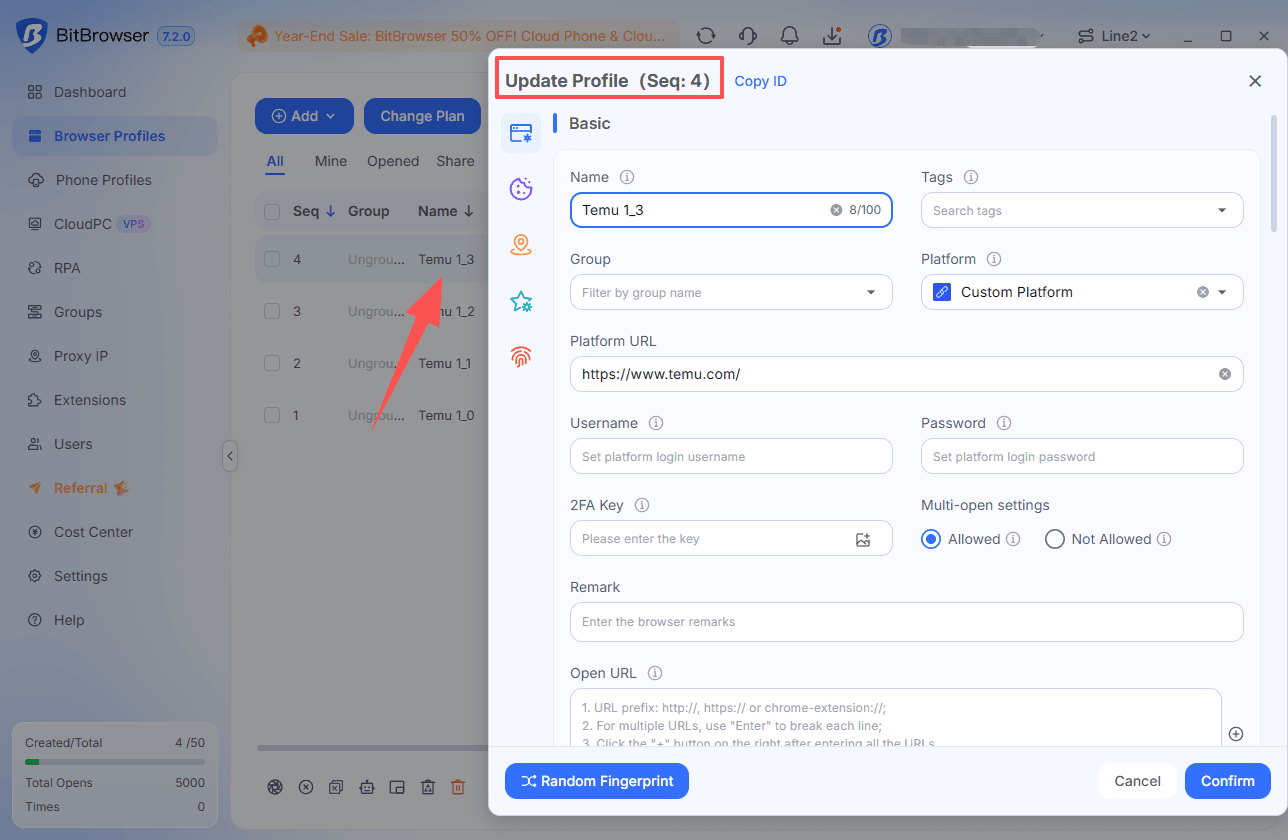
2. Edited Rows Highlighted for Three Seconds
After you edit an entry, its row is highlighted for three seconds. This makes it easier to find the item you just changed when working through a long list of profiles or devices.
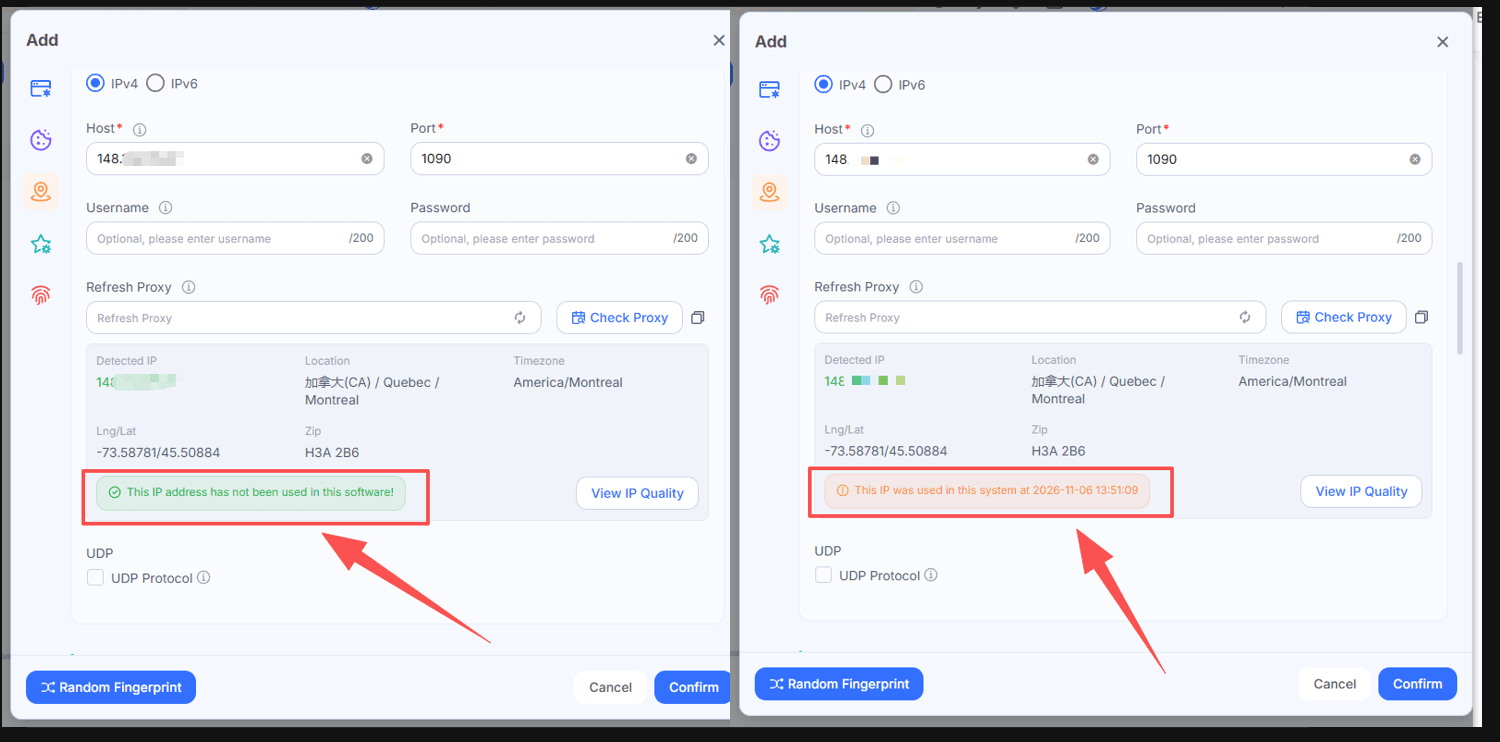
3. Color-Coded IP Usage Indicators
IP check results now use colors to show whether an IP has been used within BitBrowser:
▸ Green: Not used before.
▸ Orange: Used before.
These indicators help you review IP usage at a glance. They reflect usage within the software, rather than the IP’s reputation or whether a website will accept it.
Cloud Phone Computing Power
4. Android 15 and 16 Live Computing Power
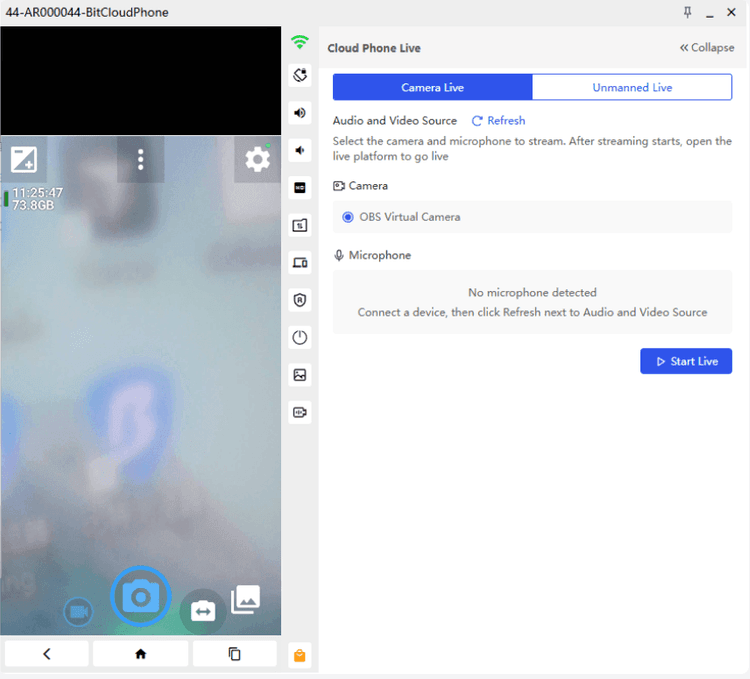
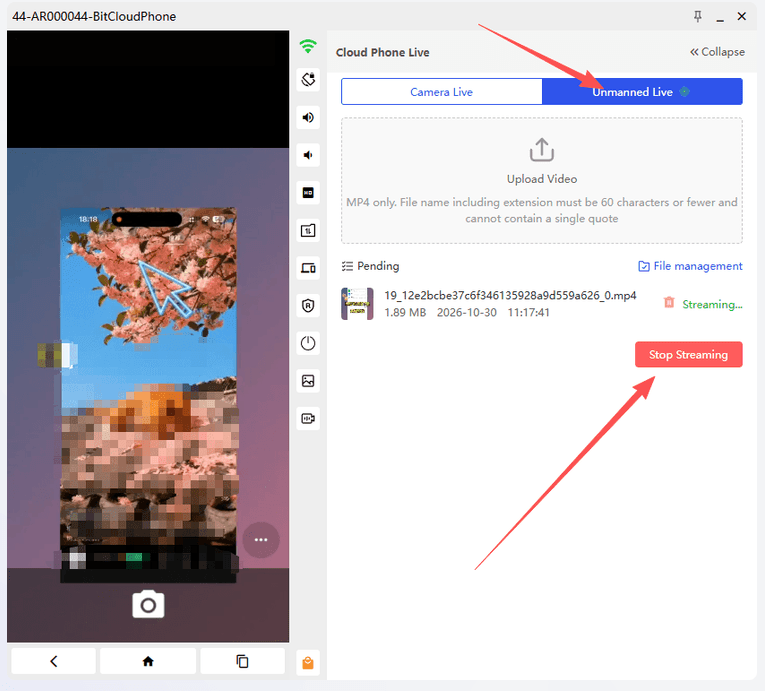
BitCloudPhone has added Global15-live and Global16-live, providing Android 15 and Android 16 environments with live streaming support.
Two input modes are available:
▸ Camera Live: Use a camera and microphone connected to your local computer.
▸ Unmanned Live: Use an uploaded MP4 video as the camera source.
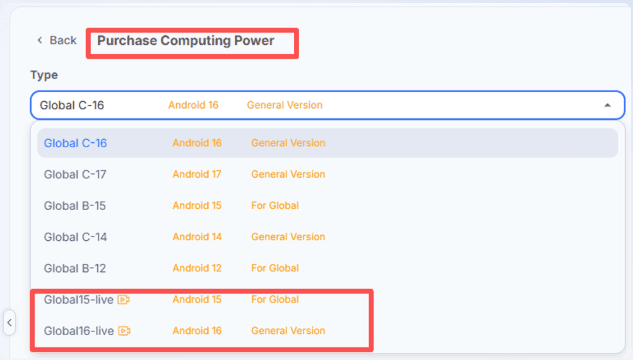
5. New Global C-17 Option
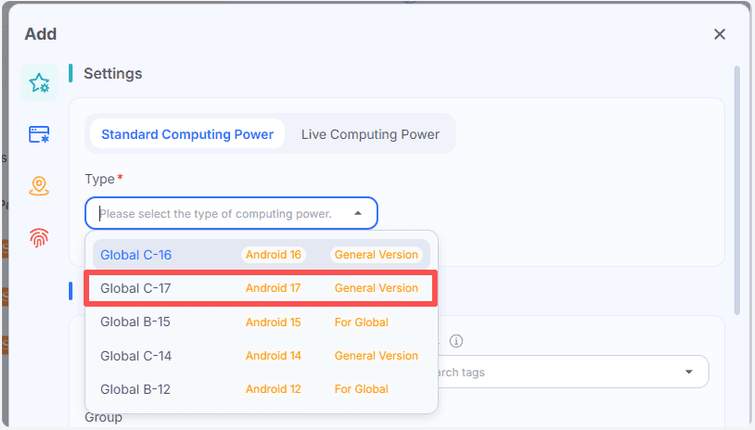
Global C-17 is also available as a general computing power option, labeled Android 17 in the client. For the live streaming features above, choose Global15-live or Global16-live.
See the cloud phone computing power and live streaming guide for setup instructions.
Cloud Phone and CloudPC Management
6. Custom Sorting for Cloud Devices
Cloud phones and cloud PCs now support Custom Sorting. Assign custom numbers to make your environments easier to organize and identify.
Custom numbers also appear in deletion confirmations alongside environment details, helping you check the selected item before removing it.
7. Smaller Android Cloud Phone Windows
Android cloud phone windows can now be reduced to 50% of their default size. This makes it easier to arrange several devices on one screen and move between them.
Account Management
8. Main Account Cancellation Fix
An issue that could prevent main account cancellation after downgrading to the Free plan has been fixed. Canceling the main account now automatically clears all window data in the Recycle Bin, including subaccount data.
More Recent Product Resources
Manage Cloud PCs and Windows VPS Hosts Together
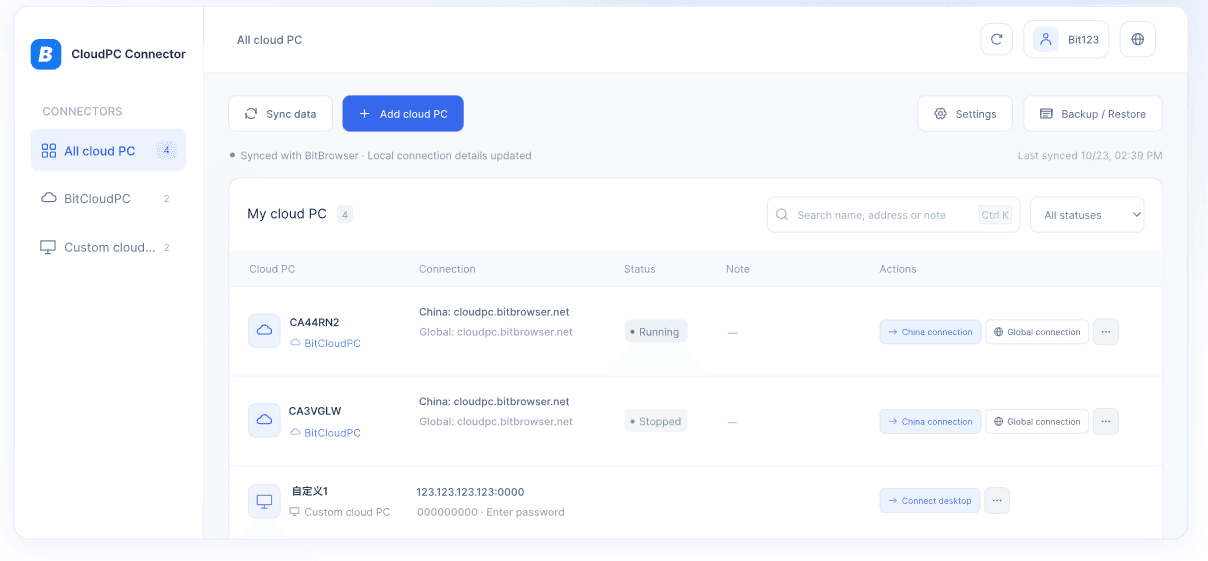
Recently introduced, CloudPC Connector brings BitCloudPC instances and compatible Windows VPS hosts into one desktop client. Open remote computers in separate windows, adjust desktop resolution, and back up your connection records for later restoration.
Read the CloudPC Connector setup guide to get started.
Explore the BitCloudPhone iOS App Library
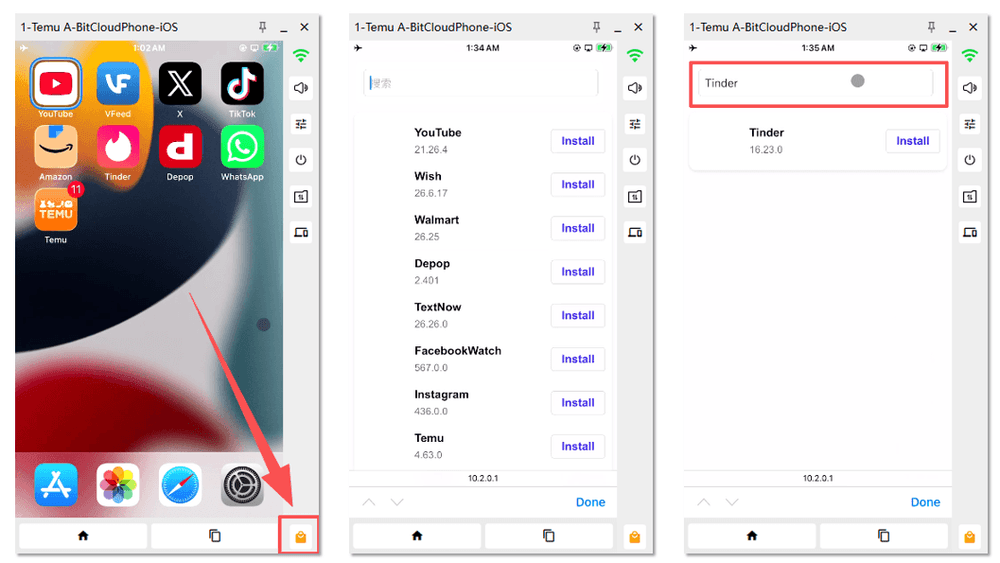
Our recent BitCloudPhone iOS App Library guide explains how to find and install apps from the built-in library. Search for an app and click Install to add it to your cloud phone.
The selection changes over time. Check your client for current availability and versions, or browse the iOS app library and installation guide.
Get the Latest BitBrowser
Download the latest BitBrowser client to explore the updated IP management tools, cloud phone options, and cloud device controls.

 Multi-Account Management
 Prevent Account Association
 Multi-Employee Management
Recommended
See More