Top 7 Antidetect Browsers in 2025 (Comprehensive Review)
 2025.12.04 12:16
 YT.Shi
Managing multiple accounts safely has become essential for affiliate marketers, e-commerce sellers, growth-hackers, and global social media operators. Platforms are increasingly sensitive to browser fingerprints, device patterns, and behavioral anomalies. To avoid bans, users rely on anti-detect browsers, tools designed to mask digital fingerprints and simulate real, diversified browsing environments.
In this article, we break down the top 7 antidetect browsers in 2025, explain how they work, compare their most important features, evaluate pricing, and help you pick the right one for your workflow.
What Are Browser Fingerprints and Why Antidetect Browsers Matter
1. What is a Browser Fingerprint?
A browser fingerprint is a combination of unique parameters your device exposes when loading a webpage, such as user-agent, canvas/WebGL fingerprint, installed fonts/plugins, screen resolution, time zone, hardware specs, and more. These parameters can uniquely identify a device or user even if cookies are cleared.
2. Why Antidetect Browsers are Essential
Modern platforms (social media, e-commerce, ad networks, etc.) aggressively detect multi-account behavior, repeated logins from similar fingerprints, suspicious device configurations, or automated patterns. Anti-detect browsers help by generating unique browser fingerprints, isolating sessions and cookies, pairing proxies with device profiles, and emulating real hardware, thus reducing the risk of bans or detection.
They are especially valuable for:
· Affiliate marketing & arbitrage
· E-commerce / Amazon / Shopify sellers
· Global social media management
· SaaS testing & QA teams
· Remote operations with many accounts
Top 7 Antidetect Browsers (Features, Limits & Pricing)
The market offers numerous antidetect browsers, each with its unique positioning and advantages. Below is a detailed analysis of seven mainstream tools to help you understand their features and suitable scenarios.
Quick Reference Table:
| Browser | Free or Trial Plan | Entry Paid Plan (Approx.) | Fingerprint Realism & Privacy | Mobile / Device Emulation | Automation / API Support | Team & Multi-Account Management | Best For / Use Cases |
|---|---|---|---|---|---|---|---|
| BitBrowser | Yes: permanent 10 profiles | 50 profiles $10/mo → 100 $15/mo → 200 $25/mo | High: deep customization of WebGL / Canvas / Audio / fonts / resolution for realistic fingerprints | ❌ Mainly desktop environment | Yes: API support & automation scripts | Yes: Cloud sync, shared profiles, role-based permissions | Beginners in multi-account work, affiliate / e-commerce / social media marketers |
| Multilogin | No long: term free; 3-day trial only | Premium pricing (varies by region / currency) | Very high: industry-leading engines (Mimic / Stealthfox) for stable, realistic fingerprints | Yes: Desktop (Chromium & Firefox kernels) | Yes: Full automation support (Selenium, Puppeteer) | Yes: Advanced team permissions & profile management | Agencies, enterprises, high-volume / high-security account operations |
| Linken Sphere | Yes: Has starter / free plan | Mid-to-high, license/session model | Very high: deep system-level fingerprint customization (canvas, audio, WebGL, hidden attributes) | Yes: Multi-engine flexibility (desktop / research / privacy modes) | Yes: Supports advanced scripting / manual or automated control | ⚠️ Team/collab varies by plan; interface & config complex | Security researchers, anonymity-focused users, advanced anti-detection needs |
| Kameleo | Yes: Free Tier (limited concurrency & time) | €59/mo startup; premium mobile emulation starts €299/mo | High: real mobile device fingerprinting including OS, hardware, sensors, browser | Yes: Strong mobile emulation (Android / iOS) & mobile fingerprinting | Yes: Local & cloud automation (Selenium, mobile automation) | Yes: Multi-profile support; better with higher-tier plans | Mobile-first platforms (TikTok / Instagram / Apps), mobile automation, testing, e-commerce |
| Ghost Browser | Yes: free / limited session version | $21/mo (annual billing) for basic plan | Low: primarily cookie/session isolation; no deep fingerprint spoofing | ❌ No strong fingerprint or device emulation | ⚠️ Basic browsing; not ideal for serious automation | Yes: Multiple sessions & workspace management (but not true anti-detection) | Multi-account management, light social media, customer support, research |
| GoLogin | Yes: Free / trial (limited profiles) | $24/mo and up (depending on plan) | Medium to high: stable fingerprint engine + proxy + profile isolation | Yes: Desktop + cross-platform; some mobile-capable features | Yes: Automation / API / scripting supported | Yes: Cloud profiles, team collaboration, built-in proxy marketplace | Small teams, affiliate / ads / social media / e-commerce / mid-level users |
| Incogniton | Yes: Free / Starter (limited profile count) | $19.99–$29.99/mo entry; higher tiers up to $79.99 / $149.99/mo | Moderate: basic fingerprint + profile isolation | Yes: Desktop; mobile support depends on plan | Yes: Basic automation / RPA / script support | Yes: Basic team sharing & management (in paid plans) | Solo operators, freelancers, small teams, entry-level multi-account users |
Below is the detailed version of the review for these six antidetect browsers:
1. BitBrowser
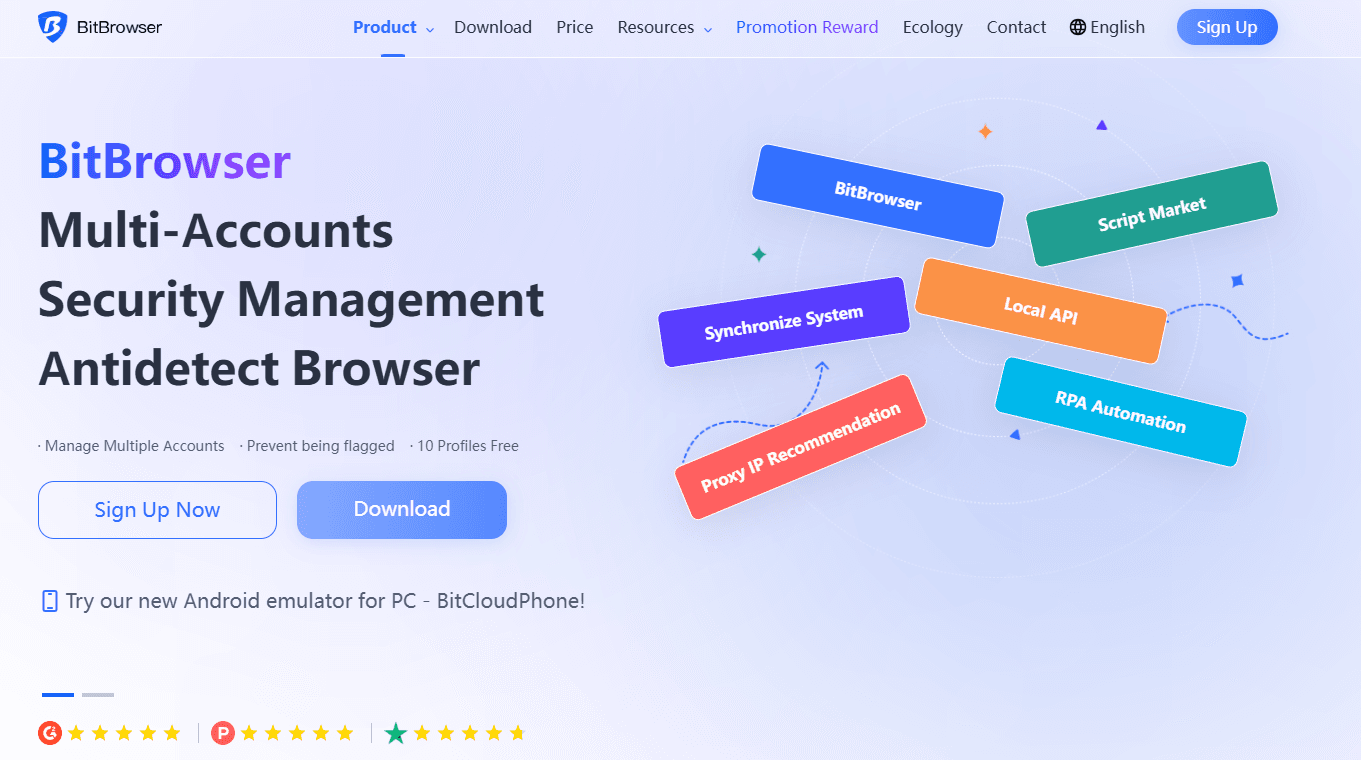
BitBrowser has earned a strong reputation among digital marketers and e-commerce sellers as a feature-rich, budget-friendly option. Its core strength lies in deep development of Google and Firefox kernels and a deeply customizable fingerprint system, allowing fine-grained adjustments to system language, fonts, window size, and more to simulate authentic user environments.
Ideal for: Multi-account beginners, freelancers, affiliate marketers, cost-sensitive teams
Positioning: High fingerprint quality with the most affordable pricing structure
Use cases: Social media operations, e-commerce, ad platforms, online work
Key Features
Realistic browser fingerprinting: BitBrowser generates highly realistic browser fingerprints that accurately mimic real user environments. This reduces flagging from major platforms like Meta, TikTok, and Google. Its fingerprint parameters, including WebGL, Canvas, Audio, and screen configurations, are automatically matched for authenticity.
Stable environment isolation: Each browser profile runs in a fully isolated environment with unique fingerprints, cookies, and storage. This ensures one account cannot affect another, even when operated in parallel. These isolates significantly reduce detection risks in multi-account workflows. Profiles are stored securely in the cloud and accessible from any device with login authentication. This prevents loss of data and allows teams to transfer sessions instantly.
Team collaboration: BitBrowser allows teams to share profiles securely through cloud synchronization. Role-based permissions ensure that only authorized users can view, edit, or operate specific accounts. This makes it suitable for agencies and distributed teams managing large-scale operations.
API automation: Developers can automate tasks using BitBrowser’s API, which supports batch operations, profile creation, and automated actions. This is useful for large teams, traffic arbitrage workflows, and QA testing. The API is structured for compatibility with tools like Python scripts or automation software.
Built-in proxy management: Each profile can be easily bound to a different proxy, including residential, mobile, and datacenter types. Additionally, it supports batch import and management of proxies, eliminating the tedious task of manually configuring proxies for each account. Proxy health checks help ensure IP quality and reduce bans caused by unstable connections.
BitCloudPhone for a Seamless Cross-Platform Workflow: The integration of BitCloudPhone into the BitBrowser client enables a seamless cross-platform workflow. Users can manage both browser profiles and cloud mobile devices from one central platform, ensuring operational continuity and identity isolation across desktop and mobile environments. This unified approach enhances security, improves efficiency, and simplifies the complexity of managing multi-account operations.
Limitations: Fewer automation features than premium enterprise tools.
Pricing
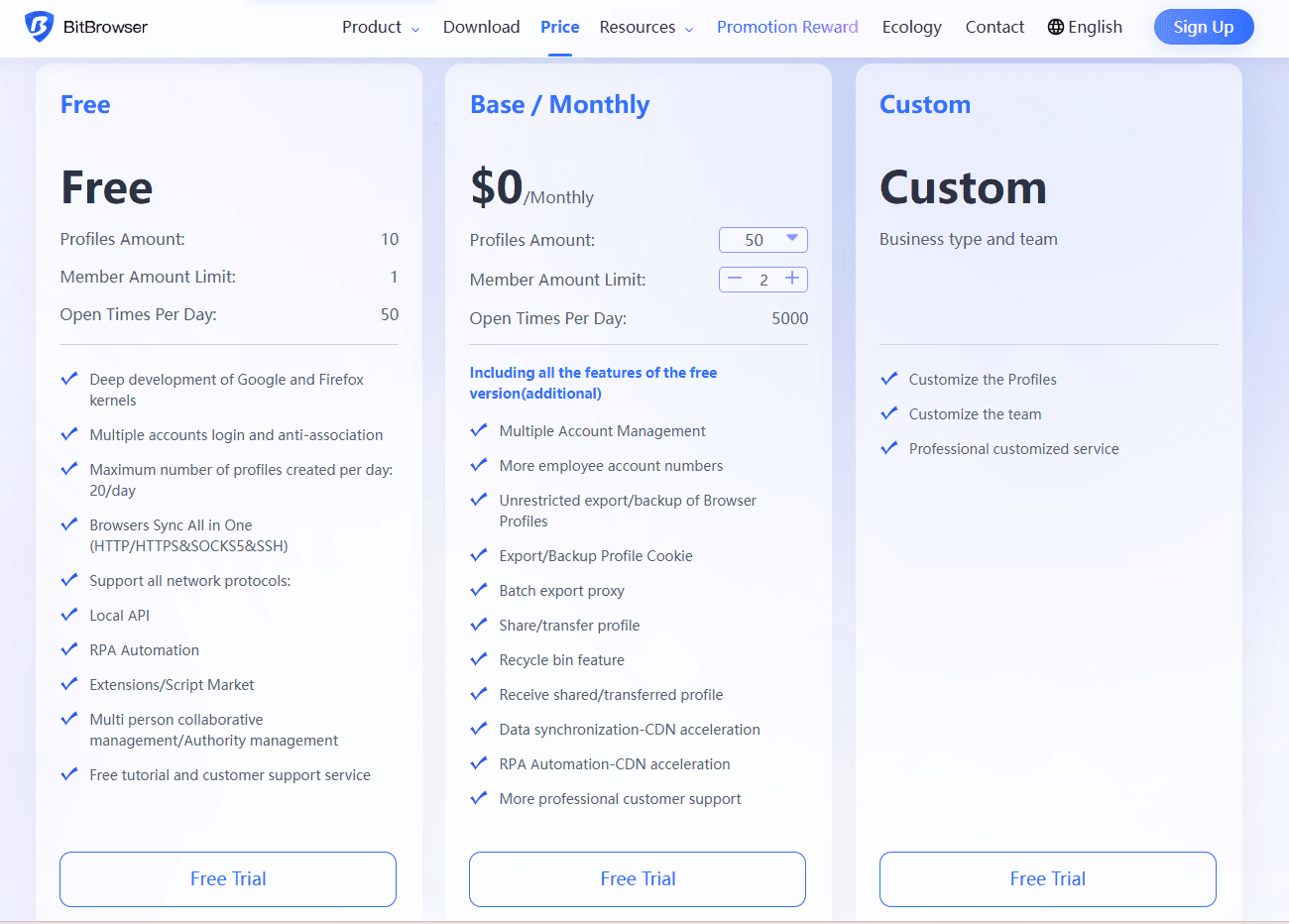
Free plan: 10 permanent browser profiles (Enjoy nearly all core features)
Paid plans:
10 profiles — $0/month
50 profiles — $10/month
100 profiles — $15/month
200 profiles — $25/month
BitBrowser currently offers the best cost-performance balance on the market.
The list of the most cost-effective antidetect browsers for 2025: Best Antidetect Browsers in 2025: Cost-Effectiveness Comparison
2. Multilogin
Multilogin claims to be the market's first antidetect browser, boasting over a decade of industry experience and renowned for its exceptional stability and reliability. However, it carries a high price point among competitors and features a relatively steep learning curve.
Ideal for: Agencies, enterprises, expert operators
Positioning: One of more accurate fingerprint-generation engines
Use cases: High-volume operations, professional anti-detect environments, teams needing maximum stability
Key Features
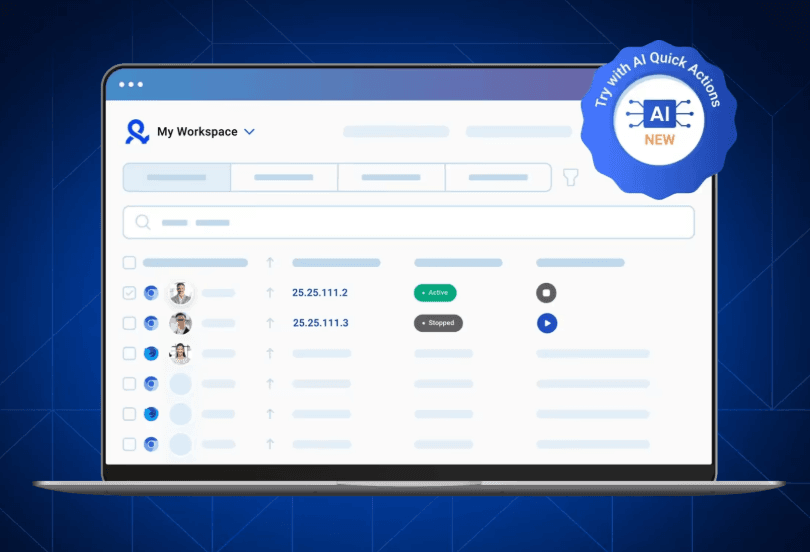
High-precision fingerprint simulation: Multilogin is known for the most advanced and consistent fingerprint-generation technology in the industry. Its Mimic and Stealthfox engines simulate real browser behavior instead of merely spoofing parameters. This makes the environment extremely difficult for platforms to identify as artificial.
Note: "High precision" is the industry's common assessment of Multilogin, but it is not the undisputed top performer proven by public experimental comparisons. Actual results depend on proxy quality + operational habits + platform anti-fraud mechanisms.
Dual-Core Browser: Multilogin offers two browser options with customizable kernels (Chromium and Firefox), allowing users to select the most suitable browser kernel according to different webpage requirements.
Team management: Multilogin supports advanced team permission structures that control who can create, edit, or use profiles. This prevents accidental profile mismanagement and keeps operational workflows secure. Larger agencies rely on this system to coordinate multi-level teams.
Automation support: It integrates well with Selenium, Puppeteer, and other automation tools, making it ideal for high-volume tasks. Users can script interactions while retaining fingerprint integrity. The automation layer is designed to minimize detectable browser automation indicators.
Limitations: Pricing is significantly higher; No long-term free plan (trial only); Learning curve can be steep.
Pricing (Euro payment)
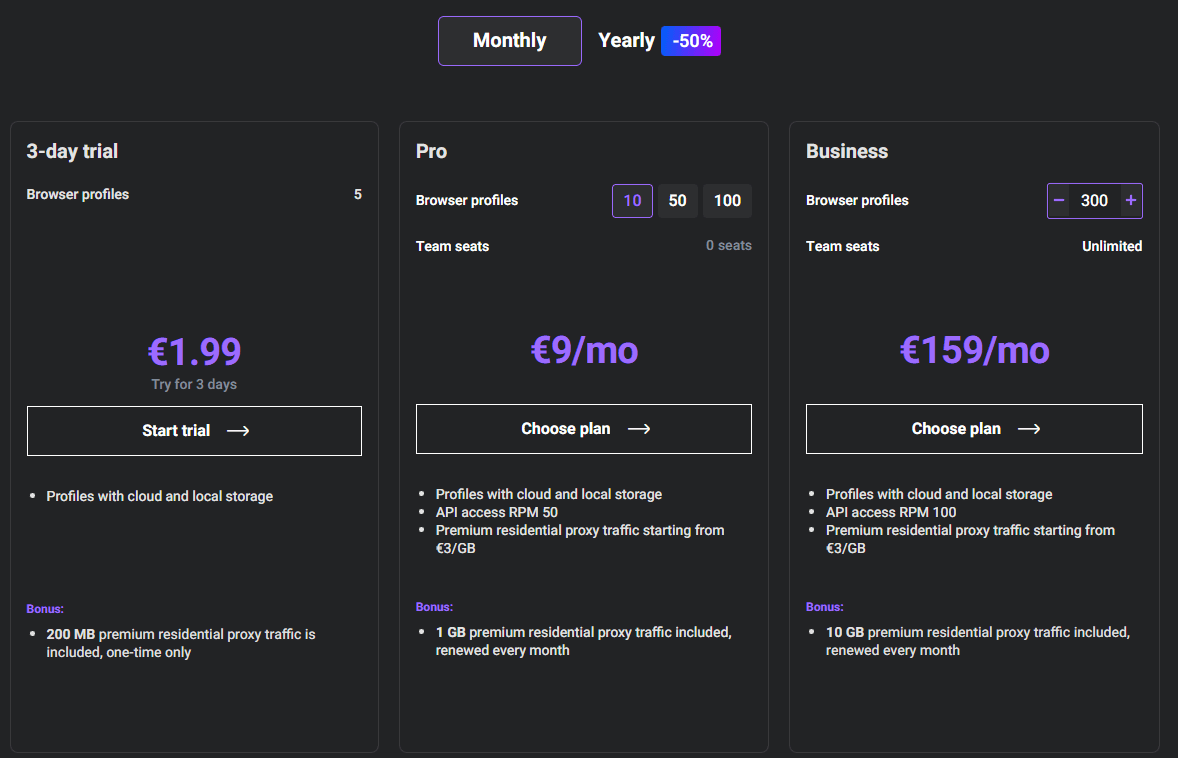
No free plan (€1.99 for a 3-day trial available)
Paid tiers begin at premium-level pricing depending on country and currency
10 profiles — €9/month
50 profiles — €49/month
100 profiles — €79/month
300 profiles — €159/month
Note: Team collaboration features are only unlocked in plans starting at €79 and €159.
3. Linken Sphere
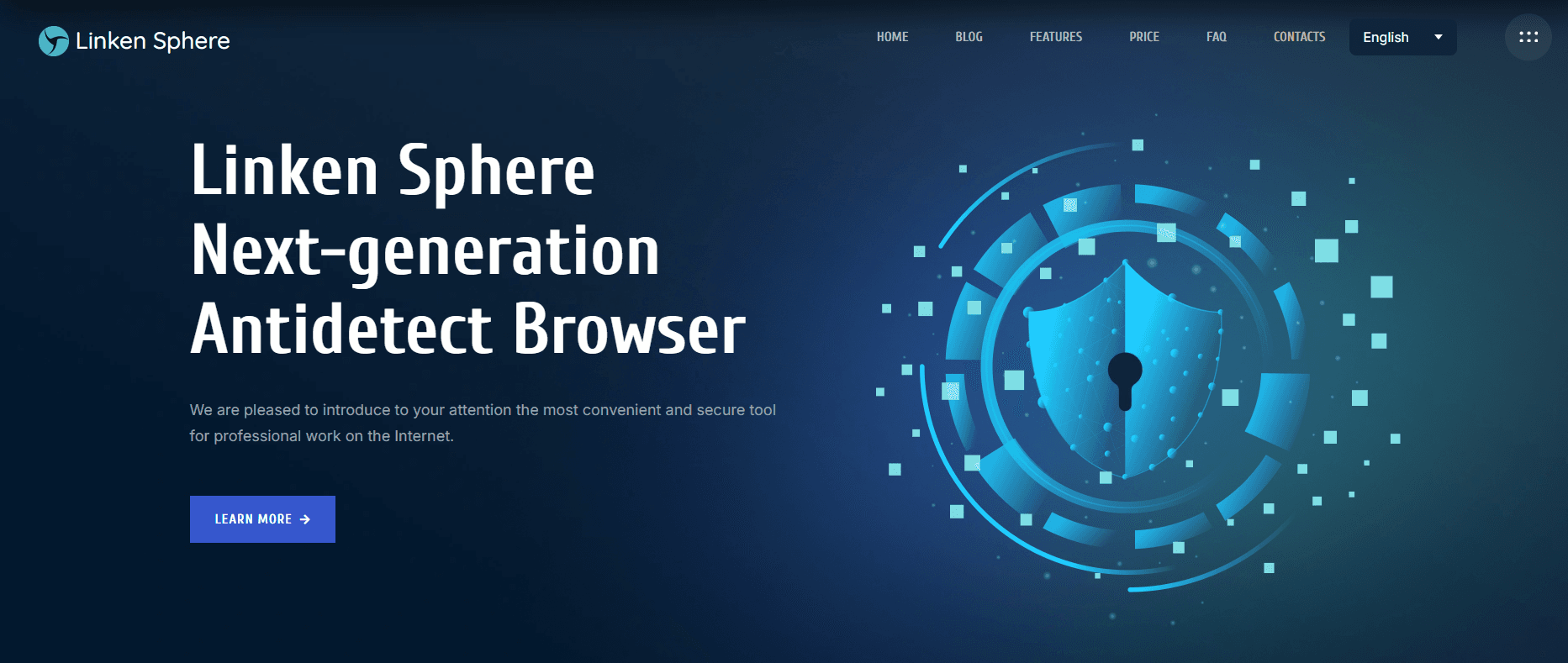
Linken Sphere Browser is a Russian-origin antidetect browser that first appeared on a Russian dark web forum named Tenebris in 2017. It is a tool shrouded in both capability and controversy.
Ideal for: Researchers, cybersecurity users, advanced anti-detect professionals; Not suitable for beginners
Positioning: Highly customizable, complex toolkit
Use cases: Experiments, anonymity studies, high-control browsing
Key Features
Deep-level browser environment customization: Linken Sphere allows users to fine-tune nearly every aspect of the browser fingerprint. This includes canvas behavior, audio parameters, WebGL signatures, and many hidden system attributes. Such customization is ideal for advanced users who need precise control.
Strong session management: The browser stores sessions securely and allows quick switching between isolated environments. It also includes advanced cookie tools for importing, exporting, and modifying data. This helps operators simulate real account histories.
Multiple Fingerprint Engines for Flexibility: Different engines allow users to choose between simplified fingerprint modes and highly anonymized, research-grade environments. This flexibility allows in-depth experiments without affecting normal workflows. It is especially appreciated in cybersecurity and penetration testing.
Local + cloud profile storage: Users can store profiles either locally for privacy or in the cloud for convenience. Cloud sync ensures profiles can be accessed across multiple devices while maintaining security. Local mode is beneficial for users wanting maximum control over their data.
Proxy Management and Cautionary Notes: Linken Sphere features a robust proxy system enabling dedicated proxy assignment per session for isolated operational environments, which mitigates platform detection risks in multi-account scenarios. However, while affordable or free proxies are included in some plans, they often lack anonymity, may be shared, blacklisted, or use detectable data-center IPs, and can pose stability, speed, and privacy leakage risks.
Limitations: Complex UI; not suitable for beginners; Certain communities associate it with high-risk usage; Requires proper configuration to avoid mismatched fingerprints.
Caution Regarding Safety and Compliance Risks: Offers advanced traffic tunneling and anti-detection modes, with automatic fingerprint adjustment based on the visited website's engine. However, it is notoriously associated with illicit activities, including financial system breaches, and is frequently cited in cybercrime reports and law enforcement incidents. Given extensive community discussions about its "anonymous/privacy/gray-hat" characteristics, be sure to assess legal and regulatory compliance before use.
Pricing (Cryptocurrency payment only)
Free plan available (5 profiles containing promotional/trial codes)
Paid plans vary by tier (monthly & yearly options)
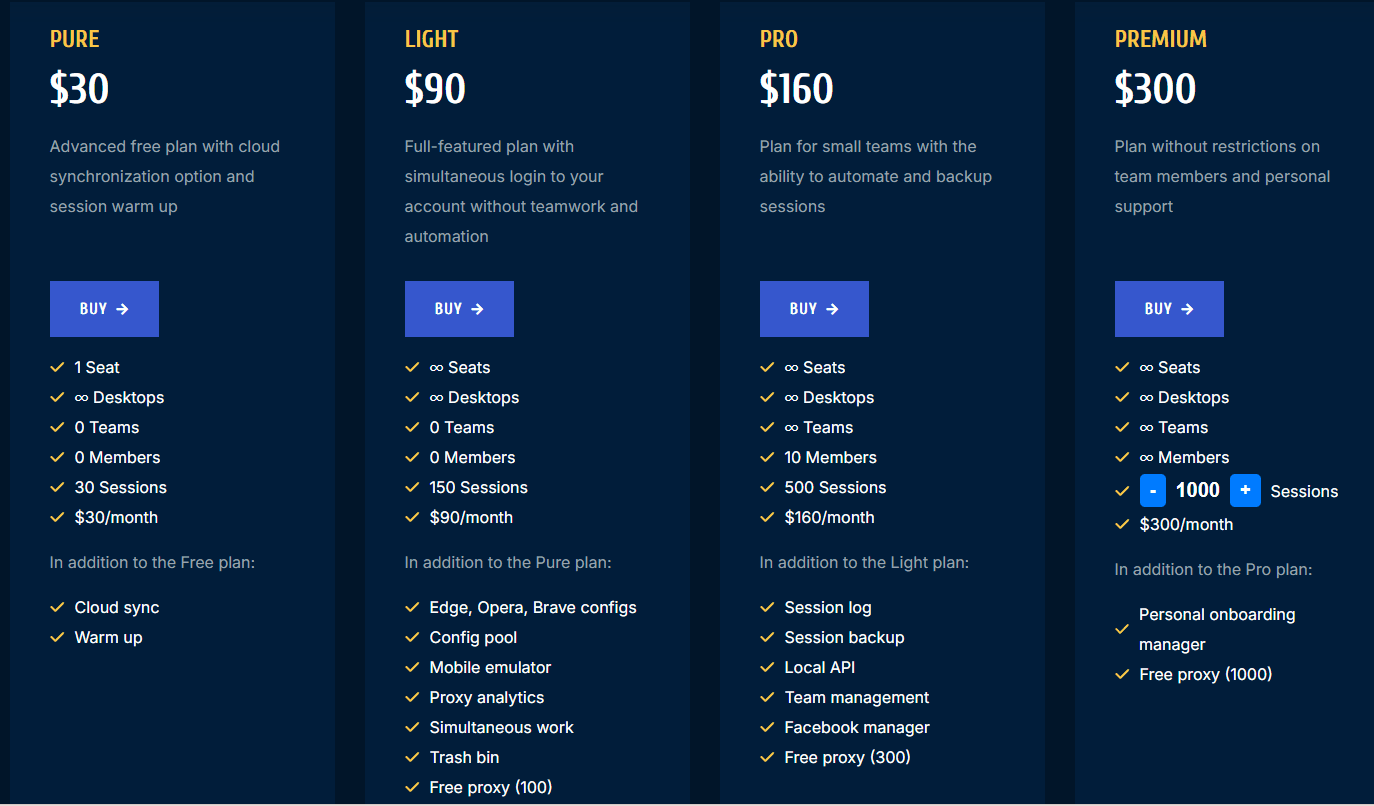
30 Sessions — $30/month
150 Sessions — $90/month
500 Sessions — $160/month
1000 Sessions — $300/month
The starting price for unlocking team collaboration features is $160.
Pricing generally mid-to-high compared with standard tools
4. Kameleo
Kameleo is another antidetect browser whose key strengths lie in offering granular fingerprint customization and robust mobile device emulation capabilities. However, its usage is relatively complex for beginners, and unlocking the mobile emulation features comes at a high price (€299 per month).
Ideal for: Mobile automation, QA testers, marketing teams
Positioning: Strong Android and mobile fingerprint emulation
Use cases: TikTok, Instagram, mobile-only tasks, app testing
Key Features
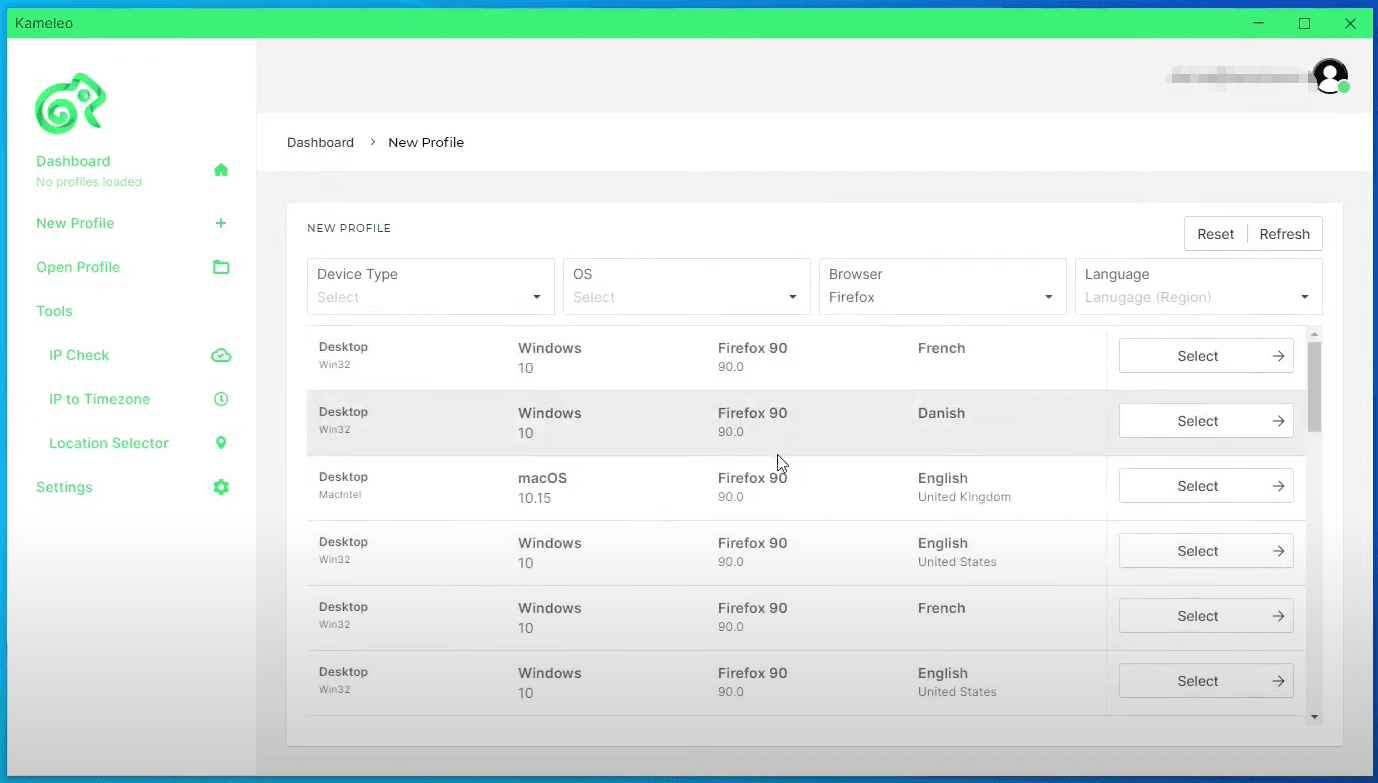
Multi-Engine Fingerprint System: Kameleo includes separate modes for desktop and mobile environments. Each mode uses a different fingerprint-generation system tailored to the target platform. This versatility makes it functional across a wide range of use cases.
Mobile fingerprint profiles: The platform provides high-quality Android and iOS profiles with genuine fingerprints. Users can simulate different smartphone models, operating systems, and browser types. This is especially important for social media platforms where mobile signals influence trust scores.
Real Android device emulation: Kameleo can emulate real Android devices, including system-level mobile parameters like sensors, hardware IDs, and OS versions. This makes mobile fingerprints far more realistic than simple user-agent spoofing. It’s ideal for platforms where mobile behavior is preferred or required.
Local and cloud automation: Automation scripts can be integrated with both local and cloud environments. Kameleo supports Selenium-based mobile automation, allowing operators to run repeated tasks on virtual devices. This is valuable for marketing operations that rely heavily on repeatable workflows.
Limitations: Setup can be complex for beginners; Advanced features mostly in higher paid tiers; Heavy system requirements for local mobile emulation.
Pricing
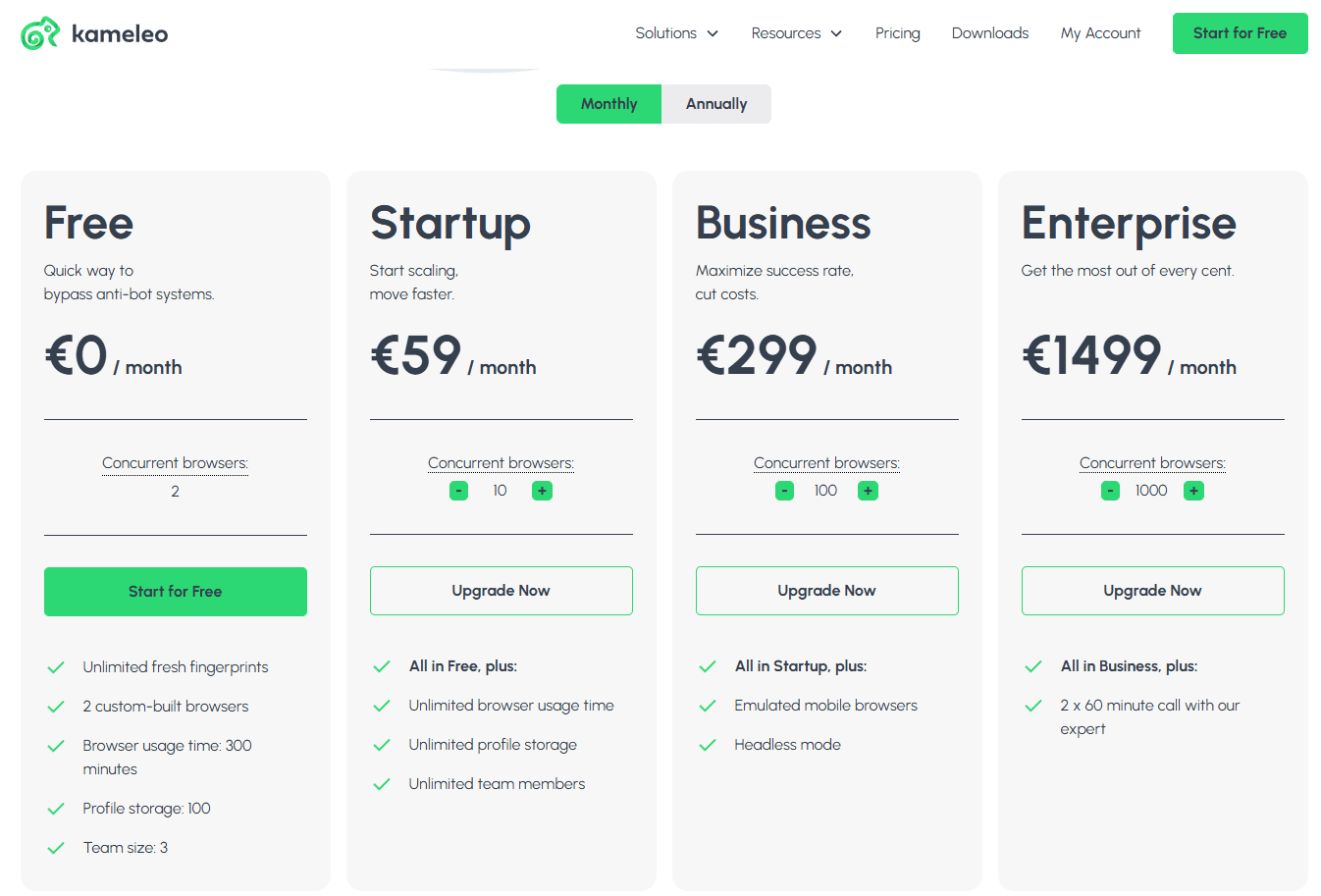
Free tier available (2 custom-built browsers with notable restrictions: 300-minutes browser usage limit and a 60-request/minute API rate cap)
Paid plans include Startup, Business, and Enterprise
10 profiles — €59/month
50 profiles — €179/month
100 profiles — €299/month
1000 profiles — €1499/month
Its premium services require a substantial investment, with plans starting at approximately €59 per month. Additionally, emulated mobile browsers require higher-tier subscriptions (€299 monthly), and the interface has a steeper learning curve.
Pricing varies depending on region and subscription type
5. Ghost Browser
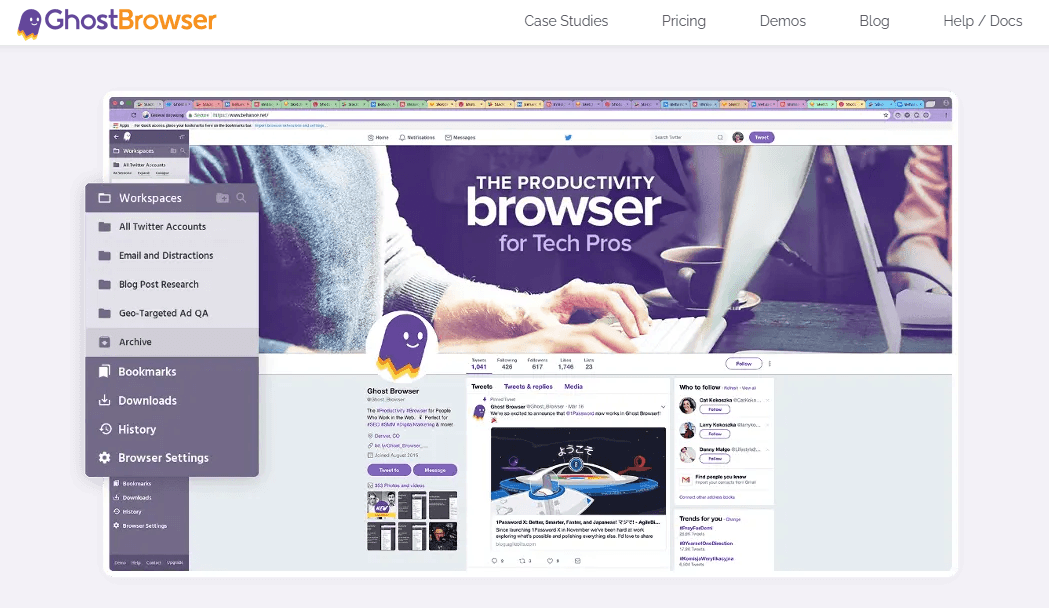
Ghost Browser takes a different approach in the antidetect market, focusing on tab-level isolation rather than creating fully independent browser profiles. Ghost Browser is suitable for scenarios involving "multi-account management + simple session isolation," but it should not be relied upon as a robust anti-linking or anti-banning solution.
Ideal for: Social media managers, customer support agents, or researchers comparing accounts side-by-side
Positioning: Session management & multi-login productivity
Use cases: Managing multiple accounts in one window without deep fingerprint masking
Key Features
Multi-session / multi-login tabs: Ghost Browser lets users run multiple login sessions in a single window using isolated cookie jars. This is convenient for productivity and managing several accounts quickly. It speeds up workflow without requiring separate browser windows.
Workspace organization: Users can save groups of tabs as "projects" and reopen them instantly. This is useful for people managing repetitive workflows like customer support or social media monitoring. Each workspace retains login sessions, saving time and effort.
Chrome-based extensions support: Because it’s Chromium-based, Ghost Browser supports most Chrome extensions. Users can integrate password managers, research tools, or social media plugins easily. This makes it highly customizable for daily productivity.
Note: Ghost Browser does not come with proxies. You must purchase proxies from a proxy provider and load them into the extension in the browser.
Limitations: Not a full anti-detect browser; Fingerprint spoofing is minimal compared to other tools; Not recommended for strict anti-ban operations
Pricing
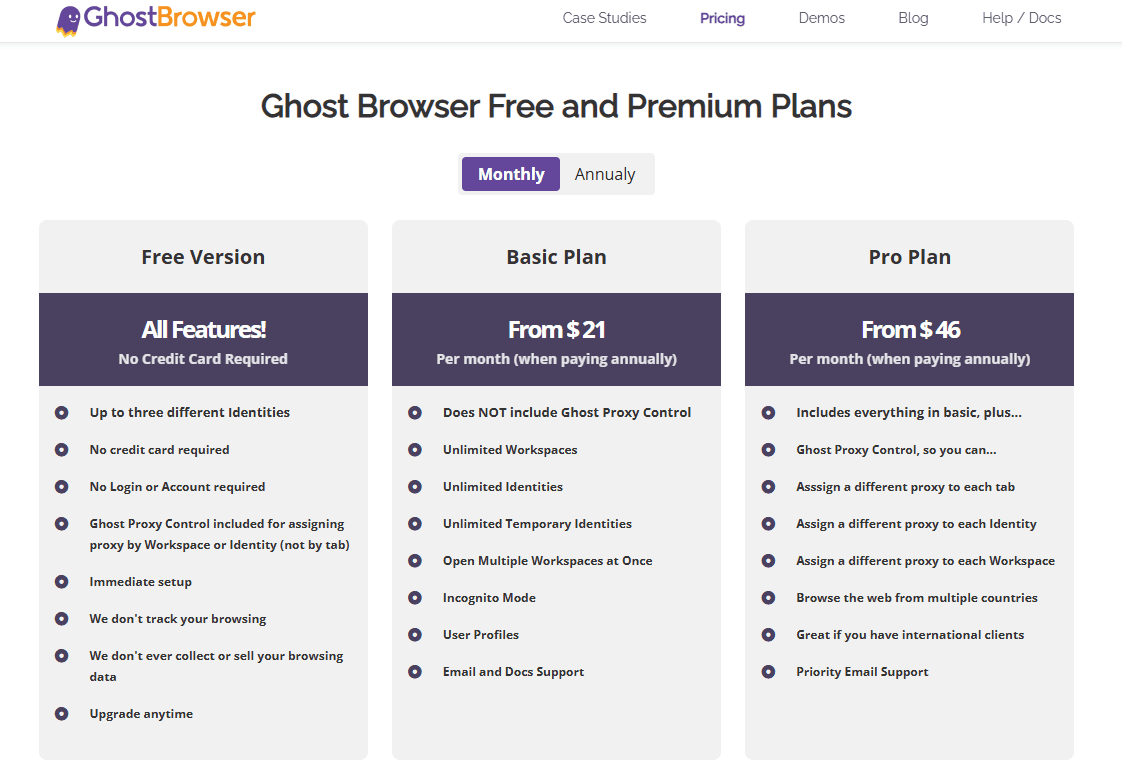
Free plan available (limited sessions: Up to 3 different Identities and 3 Workspaces)
Paid plans start around $21/month
Basic Plan: Starting at $21
Pro Plan: Starting at $46
6. GoLogin
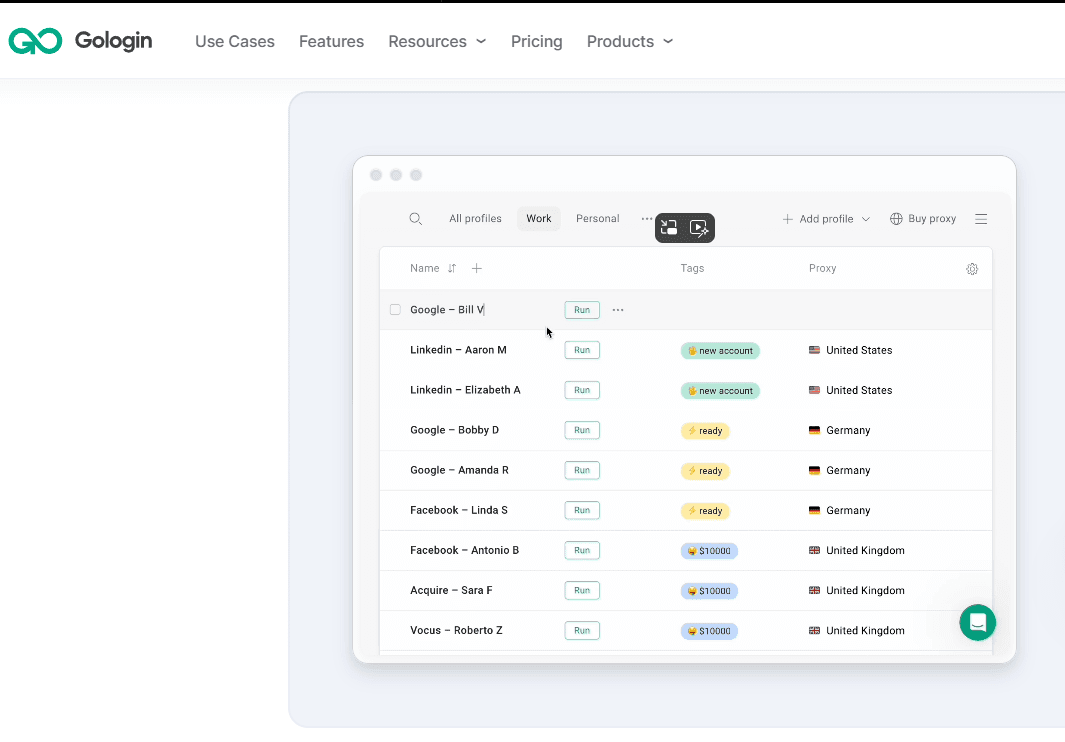
GoLogin offers comprehensive cross-platform compatibility and user-friendly interface design. It features clouds profiles, team collaboration, and built-in proxy functionality, but its antidetect capabilities may be slightly less robust than those of professional-grade antidetect browsers.
Ideal for: Small agencies, affiliate marketers, mid-level users
Positioning: Full-featured anti-detect browser with good usability
Use cases: Social media, ad accounts, e-commerce, automation
Key Features
Built-in proxy marketplace: Users can buy and assign residential, mobile, or datacenter proxies directly inside the dashboard. This eliminates the need to copy/paste proxy settings manually. It’s particularly helpful for beginners who don’t want to manage external tools.
Stable fingerprint generation: GoLogin provides a reliable fingerprint system (Windows, macOS, and Linux) with a wide selection of OS, hardware, and browser configurations. Profiles stay consistent across sessions, reducing the risk of account bans. Its fingerprint accuracy is strong for the price point.
Mobile Application Support: Utilize mobile fingerprinting to simulate mobile device access to accounts on websites like TikTok and Instagram, ensuring account isolation.
Collaboration & Access Control: Teams can share profiles securely and manage who can view, edit, or use specific sessions. This helps agencies coordinate distributed workflows without compromising account safety. Access logs also provide operational transparency.
Limitations: Fingerprint accuracy slightly below enterprise-grade tools; Occasional performance issues reported by high-volume users.
Pricing
Free trial available: 7-day free trial
Free data plan: 3 profiles in the browser (Functionality limitations: No capability to share profiles or team members.)
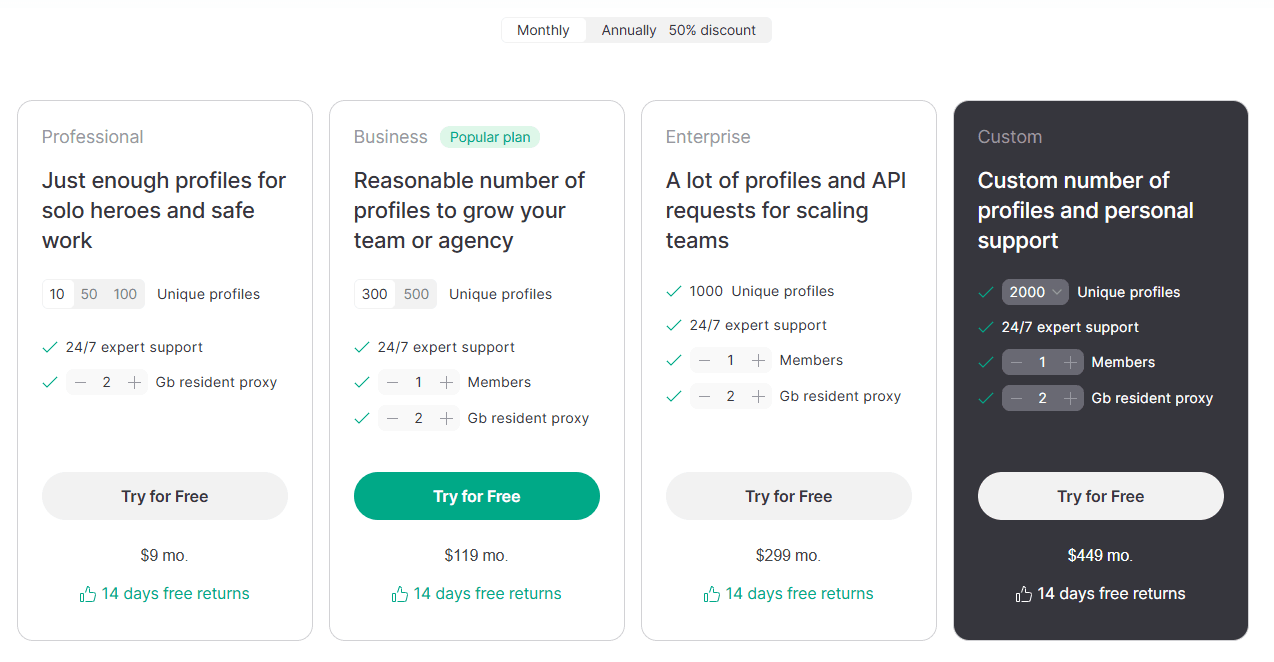
Pricing plans are categorized into Professional, Business, and Enterprise.
10 profiles — $9/month
50 profiles — $49/month
100 profiles — $79/month
300 profiles — $119/month
It's team collaboration features remain relatively basic, with more advanced options typically reserved for higher-tier plans.
7. Incogniton
Incogniton is better suited for individuals, freelancers, or those just starting to manage multiple accounts. Its user-friendly interface and low learning curve make it ideal for users who don't require extensive profiles or complex team collaboration features. However, its advanced fingerprint configuration capabilities are relatively limited.
Ideal for: Solo operators, small businesses, light multi-account usage
Positioning: Beginner-friendly with generous free tier
Use cases: Social media, affiliate marketing, low-to-mid volume account management
Key Features
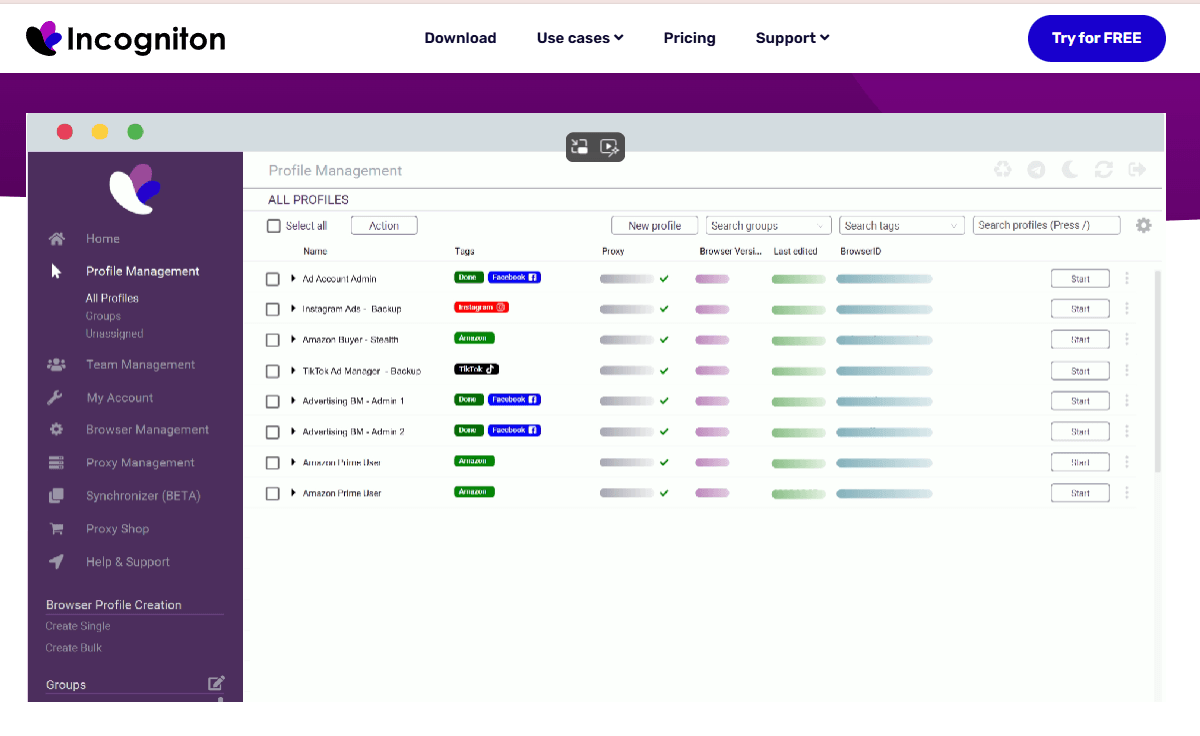
Beginner-Friendly Profile Creation: Incogniton features a clean, simple interface that makes profile creation straightforward for new users. Each profile includes an automatically generated fingerprint matched to common device types. This helps reduce errors and lowers the learning curve.
Role-Based Team Collaboration: Profiles can be shared across teams with clearly defined permissions. Each team member can access only the profiles they’re assigned, reducing the risk of accidental misuse. This is particularly helpful for small agencies and distributed freelance teams.
Built-In Automation Tools: Incogniton supports automation through its integrated RPA tools and API-like functionalities. Users can automate routine tasks such as posting, clicking, or account verification. These tools help streamline repetitive work for freelancers and marketers.
Local & Cloud-Based Storage Options: Users can choose whether to store profiles locally or sync them to the cloud. Cloud storage enables real-time sharing between team members. Local storage is useful for privacy-conscious individuals or offline workflows.
Limitations: More limited advanced configuration than high-end tools; Free plan has usage caps after the initial period.
Pricing
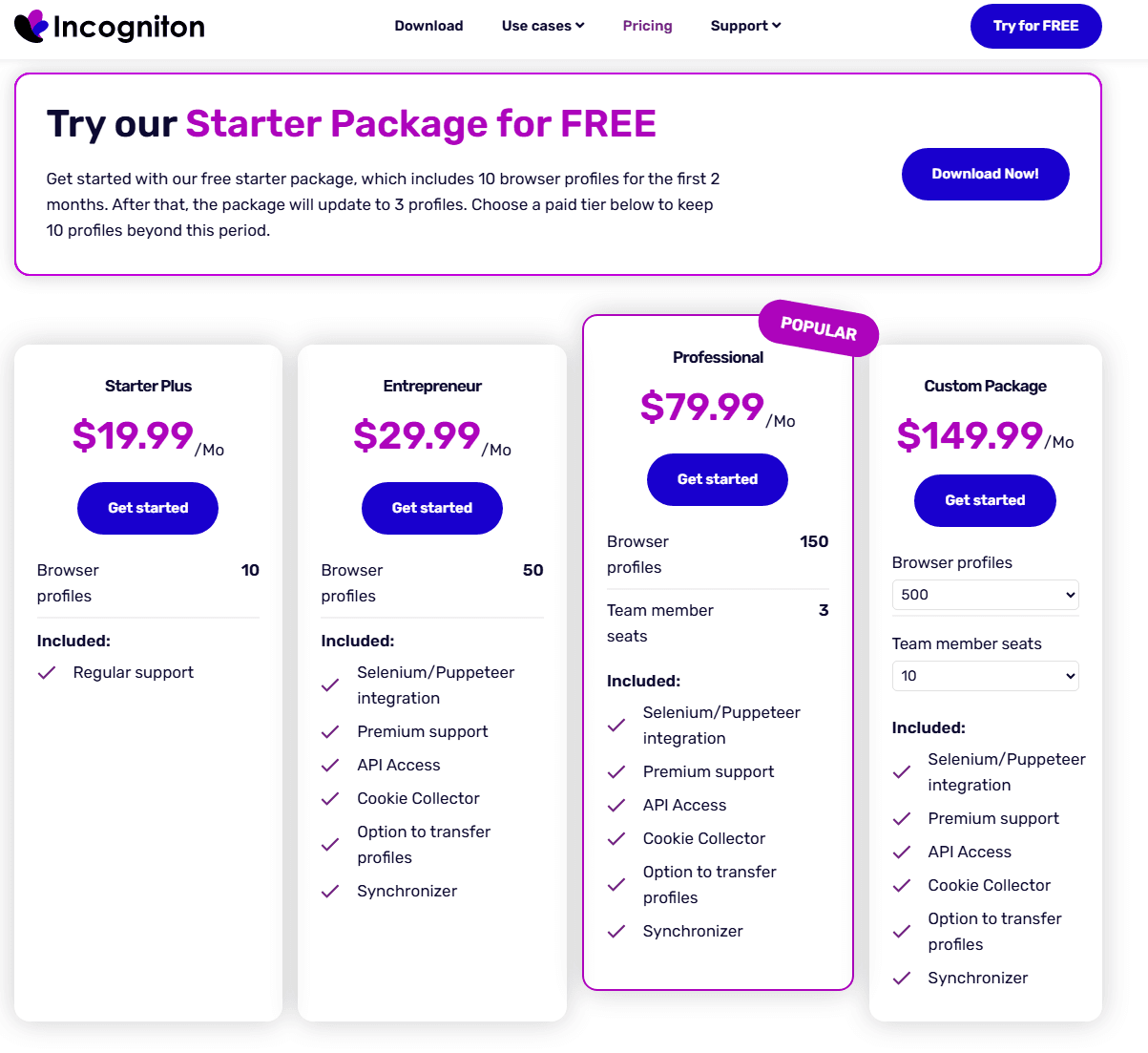
Free Starter Plan: 10 profiles with limited duration (Must upgrade after two months, otherwise it will revert to 3 profiles, and the remaining profiles will be deleted.)
Paid tiers begin at ~$19.99/month:
10 profiles — $19.99/month (0 Team member seats)
50 profiles — $29.99/month (0 Team member seats)
150 profiles — $79.99/month (3 Team member seats)
500 profiles — $149.99/month (10 Team member seats)
Team collaboration feature is unlocked for $79.99/month.
Conclusion
Antidetect browsers have become essential for account safety and professional multi-account workflows in 2025. Each tool offers a unique balance of fingerprint quality, automation, mobile capability, usability, and pricing.
The seven tools discussed in this guide offer different strengths:
· BitBrowser stands out for affordability and highly realistic fingerprints.
· Multilogin targets enterprise users needing precision and stability.
· Linken Sphere enables deep system-level customization for advanced operators.
· Kameleo excels in mobile emulation and testing environments.
· Ghost Browser is best for simple session isolation and productivity.
· GoLogin offers balanced features with strong usability.
· Incogniton focuses on beginners and small teams.
Choosing the right tool ultimately depends on your operational volume, automation needs, platform focus (desktop vs mobile), and budget. With the correct setup and proxy strategy, these antidetect browsers can significantly reduce risk and streamline multi-account management across global platforms.
FAQs
1. Do antidetect browsers completely eliminate the risk of account bans?
No tool can guarantee a 100% ban-proof environment. Antidetect browsers reduce risks by improving fingerprint realism and isolating accounts, but outcomes still depend on your proxy quality, activity patterns, and platform anti-fraud systems. Safe operational habits matter as much as the browser itself.
2. Which antidetect browser is best for beginners?
BitBrowser and Incogniton are ideal for beginners due to their simple interfaces, affordable plans, and realistic default fingerprints. They require less configuration knowledge compared to tools like Multilogin or Linken Sphere.
3. What type of proxy should I use with antidetect browsers?
Residential or mobile proxies offer the highest trust score across social media and e-commerce platforms. Datacenter proxies can still work but may trigger stricter checks. The important thing is to match each account with a consistent IP environment.
4. Do I need a separate proxy for every browser profile?
Yes. If your goal is strict account isolation. Using the same IP across multiple profiles increases the probability of linking accounts. All top antidetect browsers support one-proxy-per-profile setups to avoid cross-contamination.
5. Which tool is the most cost-effective for large-scale operations?
BitBrowser currently offers the best price-to-performance ratio, especially for users needing 50–200 profiles. GoLogin is another solid option for mid-size teams. Enterprise users needing maximum precision usually prefer Multilogin or Kameleo despite higher pricing.

 Multi-Account Management
 Prevent Account Association
 Multi-Employee Management
Recommended
See More 



