BitCloudPhone vs VMOS Cloud: Choosing the Right Cloud Phone for Multi-Account Operations in 2025
 2026.03.30 13:50
 YT.Shi
Managing multiple mobile accounts in 2025 is no longer as simple as running a few emulators on your computer. Social media managers, cross-border e-commerce teams, and app testers all need scalable solutions that allow them to operate dozens or even hundreds of Android devices remotely.
Cloud phones have become essential for this purpose, offering access to full Android environments without the need for a drawer full of physical devices or powerful local hardware.
VMOS Cloud and BitCloudPhone both promise cloud-based Android solutions, but they take very different approaches. This article compares these two platforms, focusing on features, stability, scalability, pricing, and real-world usability for teams handling multi-account workflows.
BitCloudPhone vs VMOS Cloud: Quick Comparison
| Aspect | VMOS Cloud | BitCloudPhone |
|---|---|---|
| Core Positioning | Cloud Android with root access | Cloud phone designed for scalable multi-account operations |
| Device Environment | Virtualized Android (container-based) | Full Android with hardware-level fingerprinting and real-device simulation |
| Root Access | Pre-enabled by default | Not required, more realistic behavior |
| Multi-Instance Management | Supported, separate instances with unique fingerprints | Supported, high-volume batch management with synchronization |
| Automation | Basic scripting, limited platform compatibility | Built-in automation with 7,000+ ready-to-use scripts |
| Proxy Integration | Built-in proxy, one IP per device, limited quality | User-defined proxies supported, stable and flexible |
| Pricing Model | Subscription plus fixed-duration rental, complex | Daily cost per device, predictable and scalable |
| Stability | Can lag under load, performance varies | High uptime, stable even with hundreds of devices |
| Best Fit | Individual users, testing, occasional social media tasks | Teams managing dozens to thousands of accounts continuously |
VMOS Cloud: Features and Limitations
Core Positioning and Access Model
VMOS Cloud positions itself as a technically capable cloud Android solution for power users. The platform allows users to run fully functional Android environments remotely, accessible via browser or a dedicated client. Users get default root access, broad Android version support up to Android 15, and compatibility with major device brands including Samsung, Google, Xiaomi, Vivo, and Oppo.
Multi-Instance Management and Account Isolation
Its multi-instance capabilities allow running several independent virtual devices from a single console. Each instance operates with a unique device fingerprint, which helps prevent account linking in social media and e-commerce workflows.
Users can also assign a separate proxy IP to each device, supporting the one device, one IP principle, which is essential for managing multiple accounts safely.
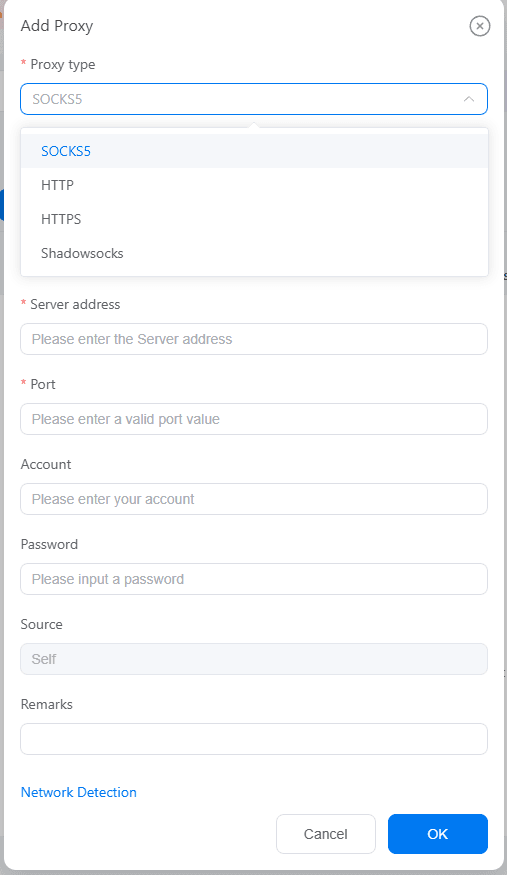
Device Models and Feature Differences
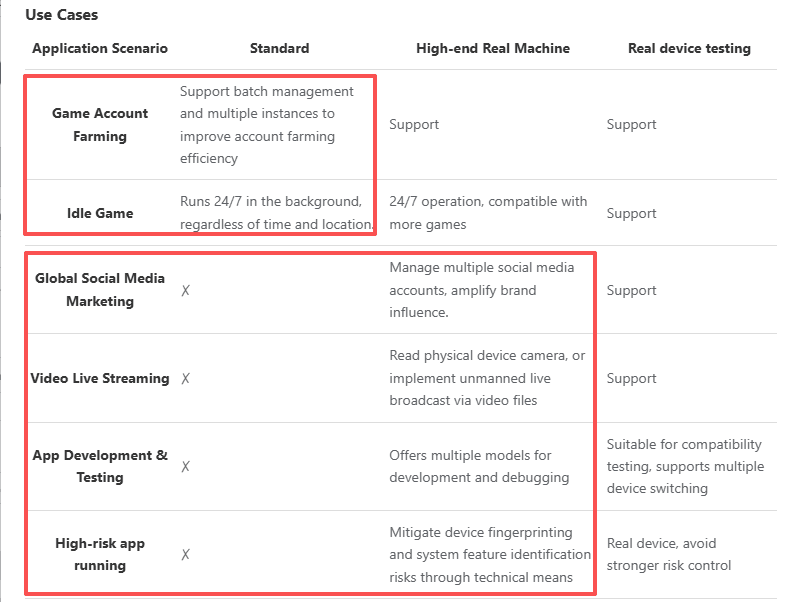
VMOS Cloud offers two device models: Standard and High-end Real Machine. The High-end Real Machine model supports features like global social media marketing, live streaming, and app testing, while the Standard model is limited to game account farming.
Root access is available by default, enabling deep system-level control and script execution.
Pricing Structure and Practical Limitations
Pricing is usage-based but complicated. In practice, only the Standard model in Hong Kong allows per-minute billing. Elsewhere, including all High-end Real Machine instances, users must purchase 1-day, 7-day, 1-month, 3-month, or 1-year packages.
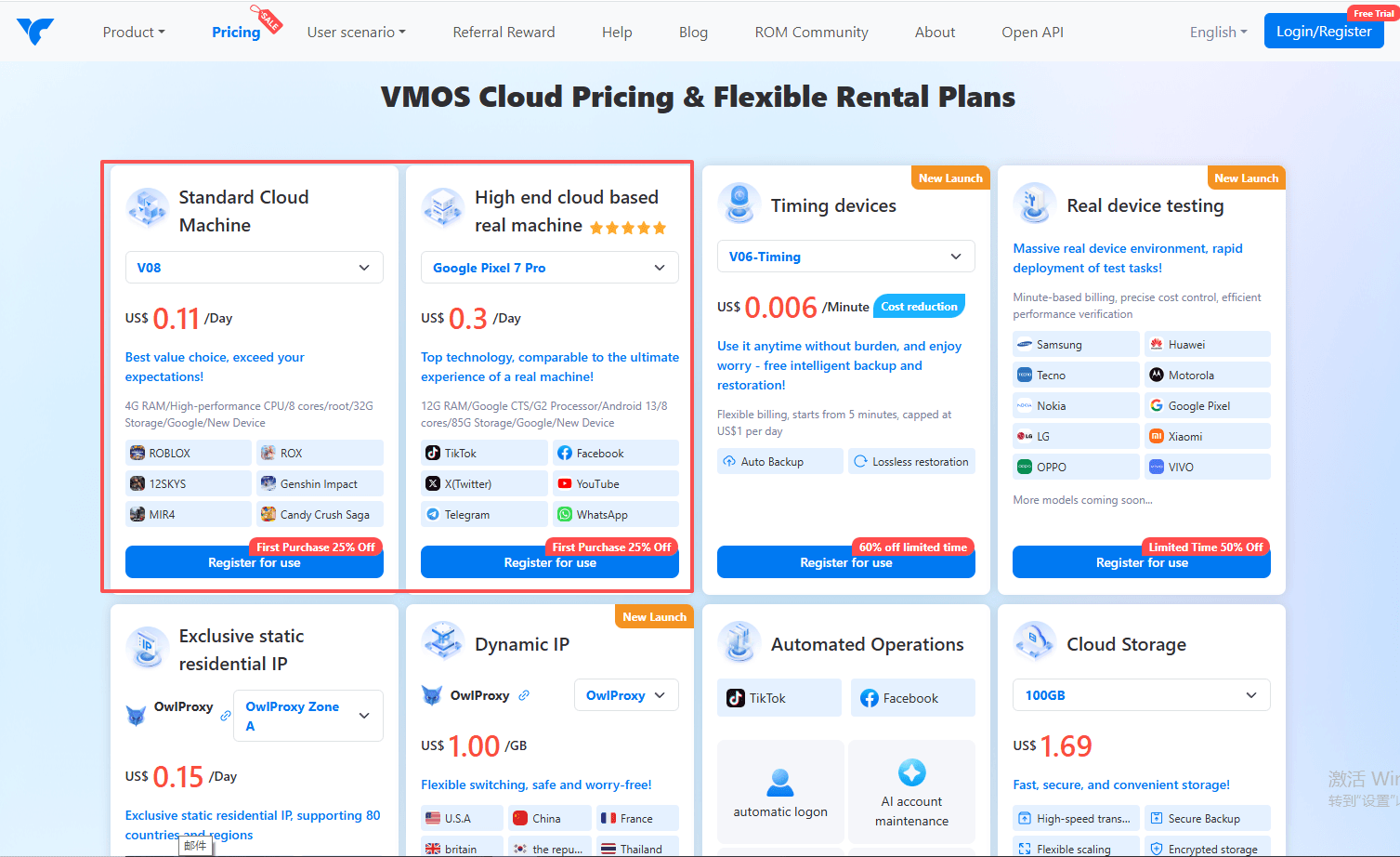
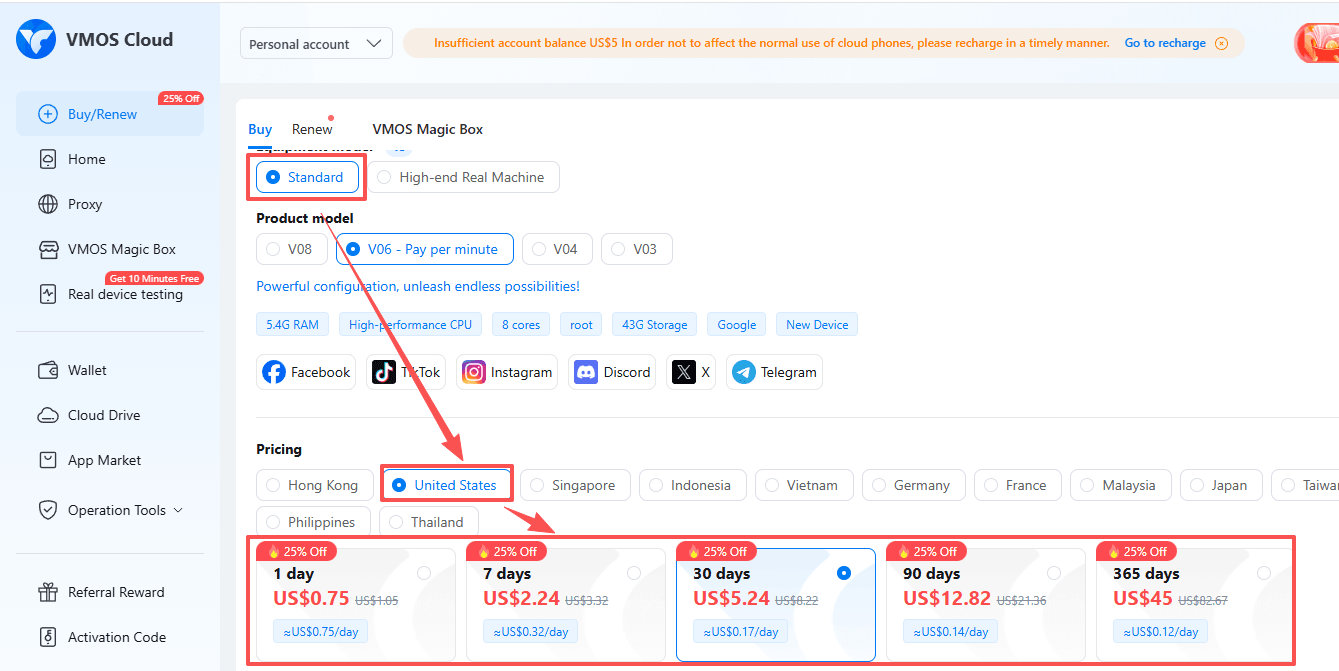
The help center provides minimal guidance, and beginners may struggle to select the right plan.
Where VMOS Cloud Starts to Struggle
Fingerprint Realism and Detection Risk
Device fingerprints are virtualized but not always realistic, making large multi-account operations more prone to detection. Root access, while powerful, is also a red flag for many apps and can lead to bans or login verification challenges.
Performance Under Multi-Instance Load
Running multiple instances simultaneously can cause lag or temporary disconnections, reducing efficiency. This becomes more noticeable as the number of active devices increases.
Automation and Workflow Limitations
Automation is limited, requiring users to rely on manual operations or external scripts. This adds complexity and makes scaling workflows more difficult.
Proxy Quality and Platform Reputation
Proxy services, while integrated, have quality issues, and user reviews on TrustPilot and Google Play reflect concerns about reliability and customer support.
Overall Use Case Fit
Overall, VMOS Cloud works best for testing, experimentation, and small-scale social media or app operations where root access is required.
However, it presents challenges for teams needing predictable costs, stable performance, and reliable long-term multi-account management.
BitCloudPhone: Built for Stability and Scale
Core Focus
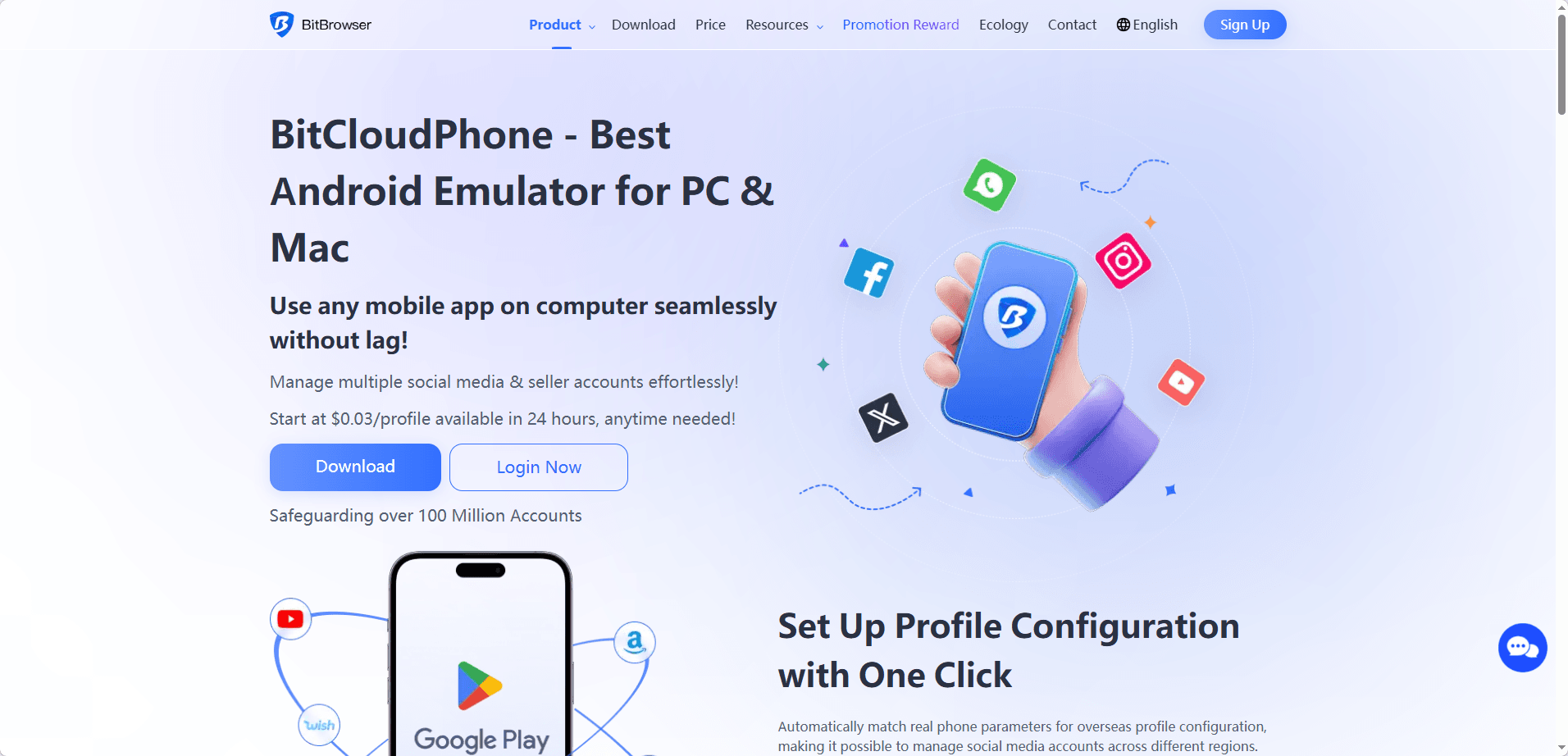
BitCloudPhone takes a different approach from root-focused platforms. It emphasizes realistic device simulation, stable long-term operation, and large-scale multi-account management, tailored for teams needing consistent and low-risk workflows.
Realistic Device Simulation
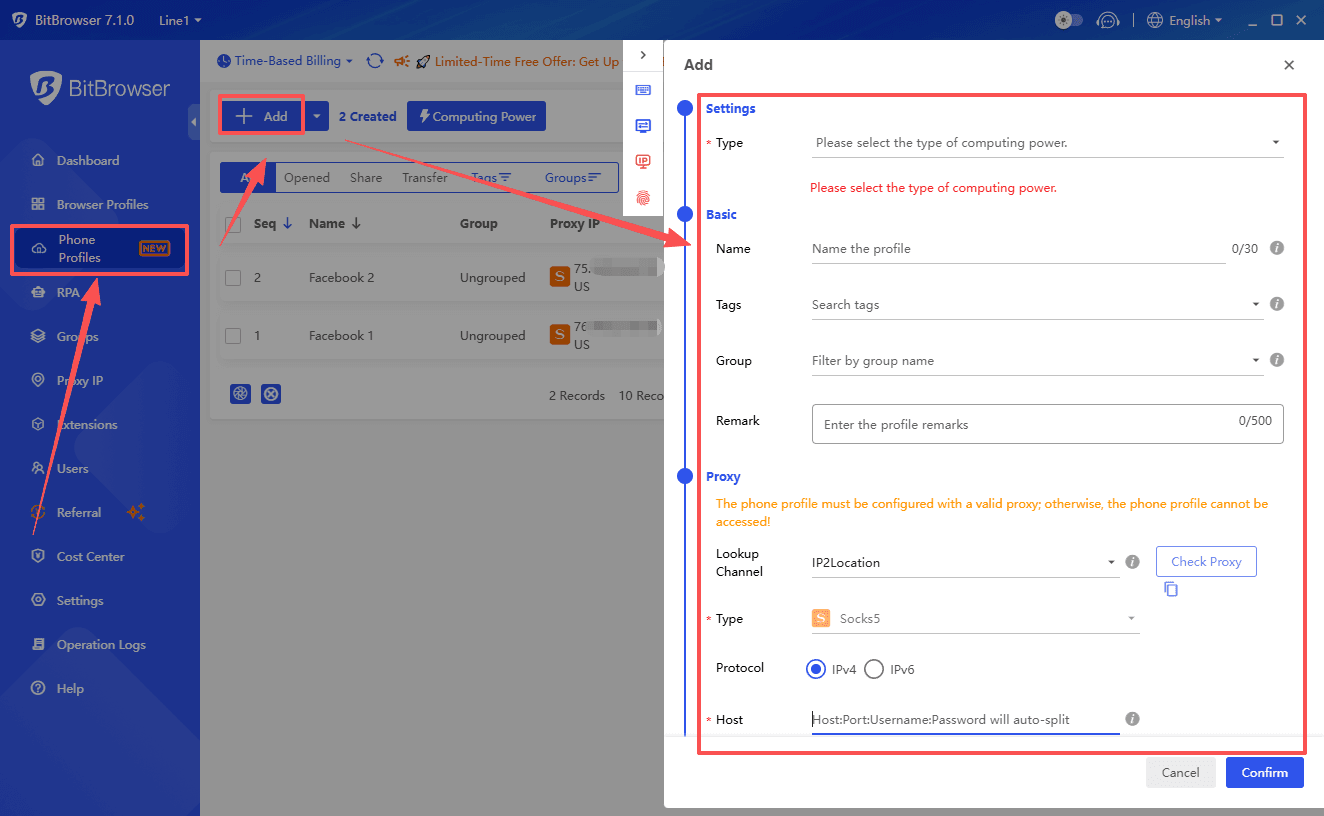
Each virtual phone replicates IMEI, SIM, carrier info, device model, and sensors. Fresh device identities can be created instantly to reduce account linking and detection risks.
The platform passes Google certifications (SafetyNet, Play Integrity, Widevine L1) and can run hundreds or thousands of devices simultaneously without performance drops.
Automation and Batch Operations
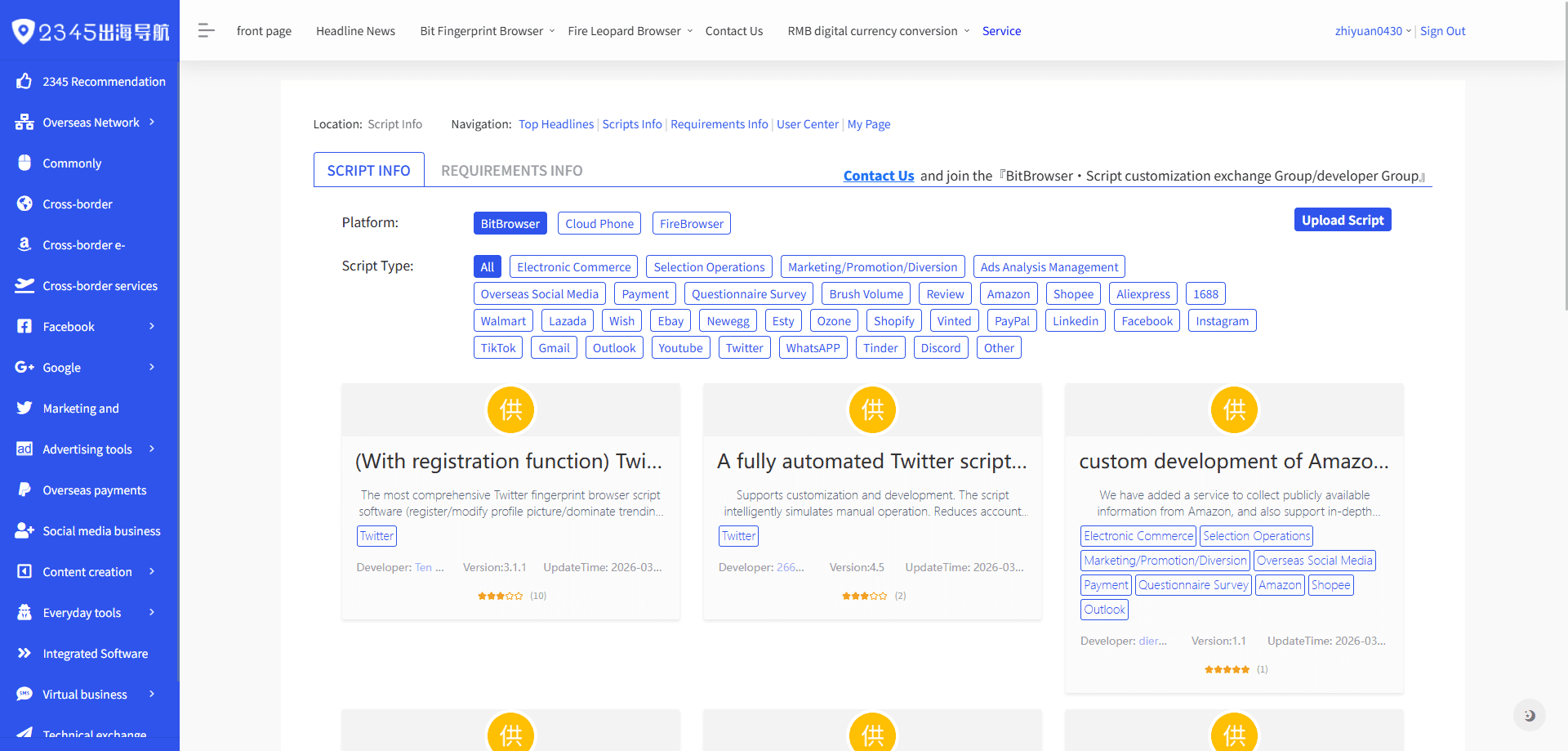
Over 7,000 built-in scripts automate account creation, posting, interactions, and maintenance. Batch tools allow group labeling, mass APK installation, ADB commands, and import/export across devices.
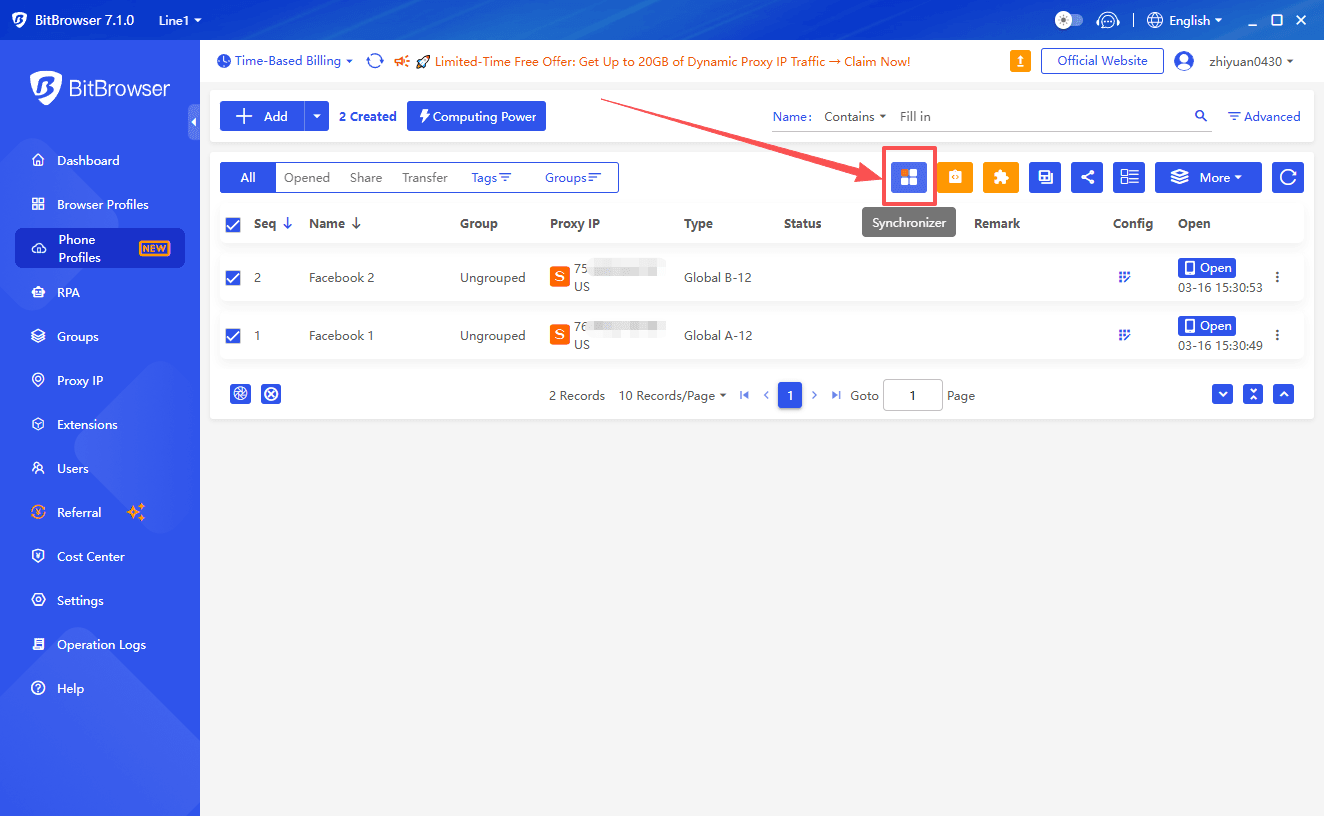
Synchronization mirrors actions across multiple devices, making repetitive workflows efficient and safer for new accounts.
Unified Workflow with BitBrowser
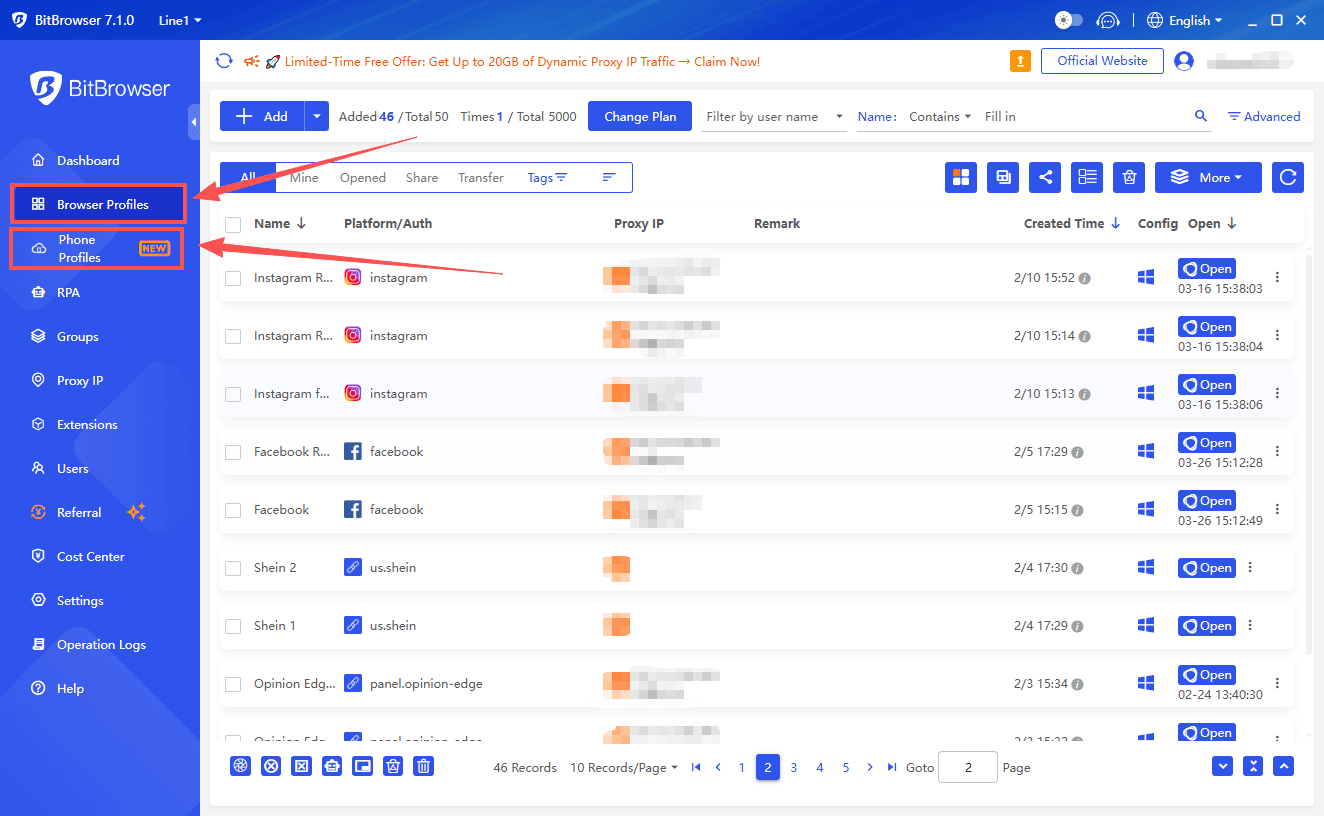
Integration with BitBrowser centralizes cloud phone and anti-detect browser workflows, unifying fingerprints, proxies, and automation. Teams can manage both mobile apps and web accounts from one console, simplifying cross-platform operations.
Stability and Long-Term Performance
Designed for continuous use, devices maintain uptime for long sessions without lag or disconnections. Stability is reliable even with large device counts, ideal for account nurturing and ongoing campaigns.
Transparent Pricing
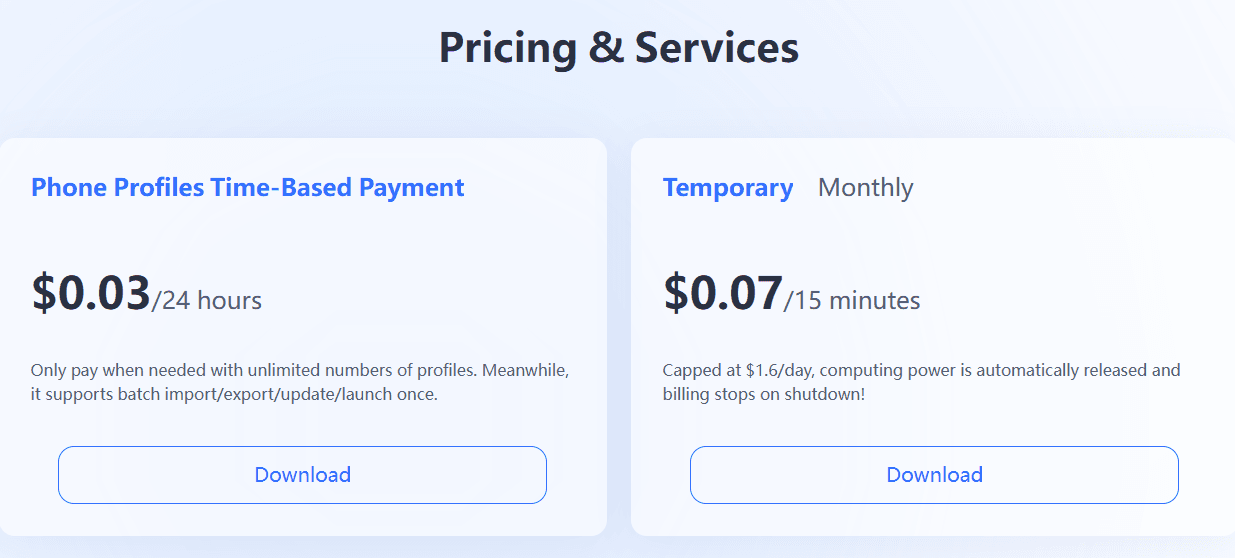
Devices cost about $0.02 per day, with billing paused when offline. Monthly plans further reduce costs. This simple model allows teams to forecast expenses accurately and scale safely without tier restrictions or minute-based surprises.
Get free trial credit for a cloud phone
Practical Use Case Comparison
| Scenario | VMOS Cloud | BitCloudPhone |
|---|---|---|
| App testing | Strong | Adequate |
| Small social media campaigns | Adequate | Strong |
| Long-term account nurturing | Risky due to detection | Stable and low detection risk |
| Large account matrices | Difficult to manage | Designed for high-volume use |
| Continuous automation | Limited | Mature, safe, scalable |
| Scaling beyond 20 devices | Performance varies | Handles high-volume reliably |
VMOS Cloud is suitable if your operations require default root access, system-level control, and flexibility for testing or experimentation. It is also helpful if your workload is small and you can tolerate complex pricing and limited support.
BitCloudPhone is ideal if your focus is multi-account management at scale, predictable costs, operational stability, and safe automation. Its infrastructure and ecosystem are optimized for teams running long-term campaigns across multiple devices, minimizing detection risk and simplifying workflows.
Final Thoughts
For teams managing just a few accounts, VMOS Cloud and BitCloudPhone may appear similar. As operations scale, differences in stability, fingerprint realism, automation, and pricing become significant.
VMOS Cloud offers strong technical capabilities, particularly for power users who need root access, but suffers from complex pricing, limited high-end features, and inconsistent service quality.
BitCloudPhone provides a transparent, stable, and scalable solution, making it the more practical choice for teams handling multi-account operations over the long term.